Loading home
Loading home
Skip to content
Blog
  1. Blog
  2. /
  3. Workflow guides
  4. /
  5. Leaving Notion pages in place — handoff checklist for Lattuce research

June 12, 2027 · Workflow guides

Leaving Notion pages in place — handoff checklist for Lattuce research

Keep the lab wiki in Notion. Move papers, PDFs, and citations to Lattuce, then link Notion pages to lattuce.app papers.

  • guide
  • notion
  • handoff
  • research
  • seo
LanguageEnglishBahasa Melayu

You can keep Notion as the lab wiki and still write papers in Lattuce. This is a handoff checklist, not a workspace teardown: meeting notes, SOPs, and databases stay where they are. Papers, PDFs, and citations move to lattuce.app so drafts can be grounded and exported.

The split is the same one we already recommend in Using Lattuce alongside Notion: Notion for team pages, Lattuce for research writing.
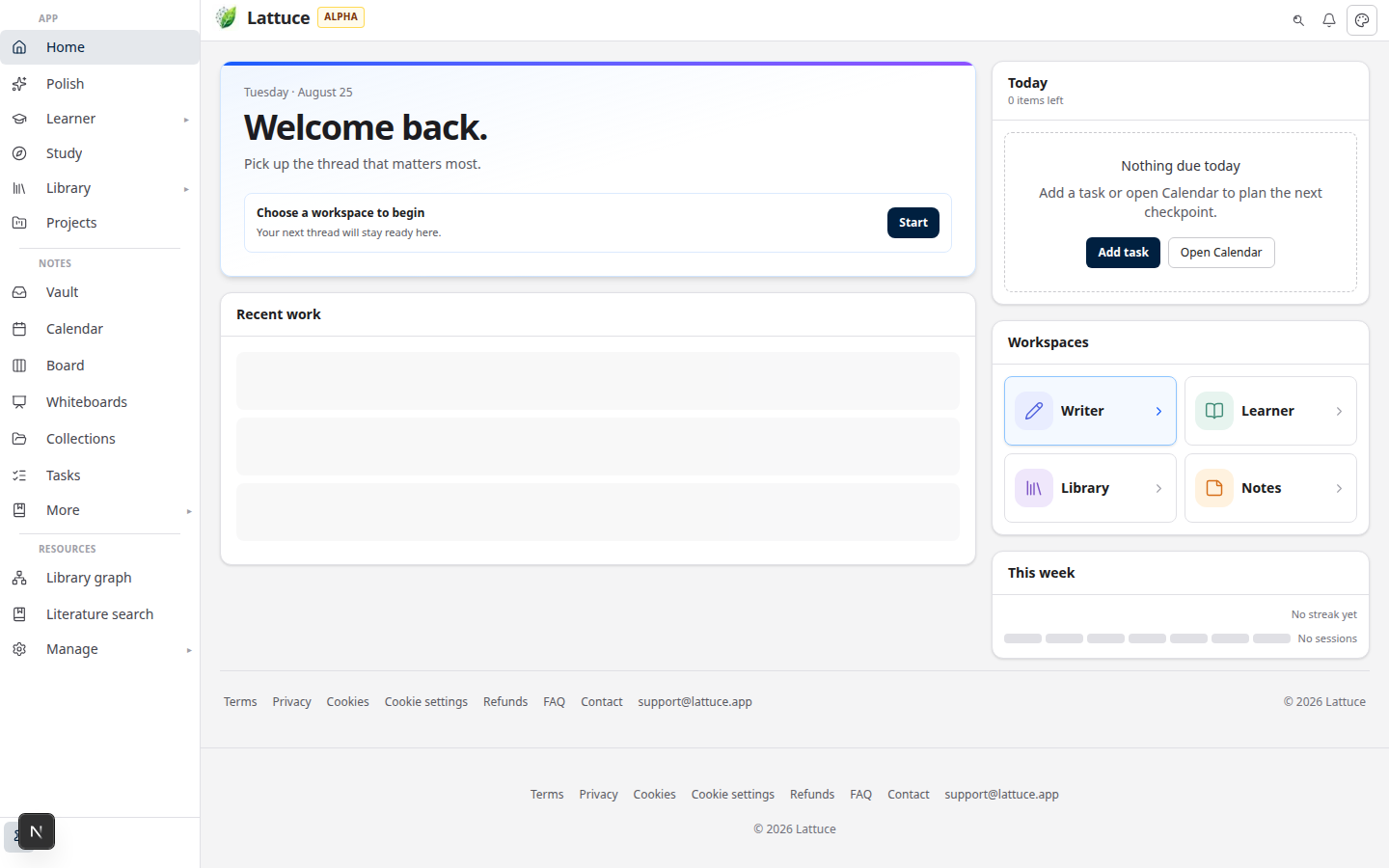
Lattuce research workspace at lattuce.app/try

Who this is for

You are…This checklist helps when…
Graduate student or thesis authorYour reading pile lives as Notion pages or uploaded PDFs, and you need a cited draft
PI or lab coordinatorThe team wiki should stay in Notion, while papers and sources live in one research layer
Household already on both toolsYou want a written split so people stop pasting PDFs into wiki pages

If you want the positioning argument first, read Why Lattuce is not trying to replace Notion. This post is the practical list.

Before you start

You needNotes
A Notion workspace you will keepWiki, runbooks, meeting notes, and project databases stay there
A Lattuce accountSign in at lattuce.app, or try without signup first
A paper projectLibrary → Papers → New paper (or open the manuscript you will write)
The PDFs and citations you will write fromFiles on disk, Notion attachments, or a Zotero library
Optional: week-one admin timeHousehold admin's first week if you are inviting others

You do not need to empty Notion. You need a short inventory of what is research versus what is wiki.

What stays vs what moves

Keep in NotionHand off to Lattuce
Lab wiki, SOPs, onboarding, hiring listsPaper projects and thesis chapters
Meeting notes and everyday planningPDF library and attached sources
Team databases, boards, and automationsCitations, citation checks, and Word export
Links to papers (see below)The paper URL on lattuce.app

That is the whole job: wiki stays, research corpus moves, then you link.

Steps

1 — Inventory Notion without moving the wiki

Walk the pages your group actually uses. Tag each one as wiki or research.

If the page is…Leave itNext action
A runbook, SOP, or meeting noteYesAdd a link later if it mentions a paper
A database of tasks or peopleYesDo not rebuild it in Lattuce
A reading list with attached PDFsKeep the list pageUpload those PDFs to Lattuce Library
A chapter draft pasted into NotionKeep a pointer pageRecreate the manuscript as a Lattuce paper

Do not archive the wiki to “clean up.” Leave those pages in place.

2 — Create the Lattuce paper and upload PDFs

  1. Sign in at lattuce.app.
  2. Open Library → Papers → New paper (or open the existing manuscript).
  3. Upload the PDFs you will cite. Wait until each source shows ready.
  4. Attach those sources to the paper.

Cited writing needs attached, ready files — not a chat paste of a Notion page. The full compose path is in literature review with Lattuce and sources to DOCX.

3 — Move citations (optional Zotero)

If references already live in Zotero, keep Zotero as the collector and import into Lattuce:

  1. Open Library → References.
  2. Connect Zotero when your account supports it.
  3. Sync metadata, or use rich import when you also need PDFs and highlights.
  4. Attach imported rows to the paper, then cite from those rows in Compose.

Lattuce can export BibTeX for a co-author still on Zotero. Writing citations back into Zotero is not the path today — see Lattuce + Zotero and Zotero to BibTeX.

If you have no Zotero library, skip this step. Upload PDFs and enter metadata in Library instead.

4 — Link from Notion to the Lattuce paper

  1. Open the paper on lattuce.app and copy its URL.
  2. On the matching Notion wiki page, add a clear link — for example “Manuscript in Lattuce” — and paste that URL.
  3. If several Notion pages mention the same chapter, point them all at the same paper.

Lattuce does not need a mirror of every Notion database. Notion only needs a door back to the paper.

5 — Agree the split with the household

Write two sentences where the team will see them (a Notion wiki page is fine):

  1. Wiki lives in Notion. Runbooks, meetings, and planning stay there.
  2. Papers, PDFs, and citations live in Lattuce. New research files go to the library, not as wiki attachments.

If you are the person inviting members and checking the first paper path, use Household admin's first week.

Key concepts

Handoff means a split, not a teardown. Notion pages stay published. You stop using them as the PDF store and the manuscript.

Links are one-way on purpose. Notion points at lattuce.app papers. You do not recreate the lab wiki inside Lattuce.

Citations need a library row. A Notion toggle full of DOIs is a reminder. Writer cite chips and Word bibliographies come from sources you uploaded or imported.

Troubleshooting

SymptomLikely causeFix
People still attach PDFs to NotionThe split was never written downAdd the two-sentence rule on the wiki home page
Compose has nothing to citeFiles are still only on the Notion pageUpload to Library, wait for ready, then attach
Two drafts of the same chapterNotion page and Lattuce paper both being editedTreat Lattuce as the manuscript; leave a link on the Notion page
Zotero import looks thinMetadata-only sync, or PDFs not readyUse rich import when available, or upload the PDF in Library

Related reading

  • Using Lattuce alongside Notion — when to use both
  • Why Lattuce is not trying to replace Notion — different job, different buyer
  • Notion vs Lattuce — feature comparison
  • Household admin's first week — account, first paper path, invites
  • Lattuce + Zotero — optional reference-manager path

Bottom line

Leave Notion pages in place. Keep the wiki there. Put papers, PDFs, and citations on lattuce.app, then paste the paper URL back into Notion. That is the handoff — two tools, one link, no need to rebuild the lab wiki.

Bahasa Melayu: Biarkan halaman Notion di tempatnya — senarai semak serahan penyelidikan Lattuce

PreviousFrom PDF highlight to cited paragraph in LattuceNextAlpha feedback — how to report useful bugs on lattuce.app

Workflow guides

  1. 1. Where you can use Lattuce today — cloud, Windows, and Android
  2. 2. Lattuce at lattuce.app is in alpha — what that means for you
  3. 3. Try Lattuce without signing up — interactive demos at lattuce.app/try
  4. 4. Leaving Lattuce cleanly — try first, delete when you need to
  5. 5. Literature review with Lattuce — from search to a cited Word file
  6. 6. Study vs Learner in Lattuce — exam prep or language learning?
  7. 7. Thesis format check in Lattuce — upload Word, fix layout, verify before you submit
  8. 8. BYOK on Lattuce — bring your own AI keys
  9. 9. Sources to DOCX in Lattuce — end-to-end manuscript workflow
  10. 10. BYOS on Lattuce — bring your own storage
  11. 11. Research missions in Lattuce — structured synthesis with evidence export
  12. 12. Use Lattuce from Cursor and Claude — your research in your IDE
  13. 13. Source Digest in Lattuce Study — audio, tables, mind maps, and flashcards
  14. 14. Workspace Ask for a household lab — grounded Q&A over your vault
  15. 15. Query canvas in Lattuce — live boards from your notes vault
  16. 16. Zotero to BibTeX in Lattuce — import, cite, and hand off bibliographies
  17. 17. Notes view layouts in Lattuce — Live, Read, and a sticky outline
  18. 18. Household admin's first week with Lattuce — checks and day-two tasks
  19. 19. Notes catalog layouts in Lattuce — Table, Board, Timeline, and saved views for your vault
  20. 20. Household billing and /pricing on Lattuce — transparent tiers for shared accounts
  21. 21. Version history in Lattuce — compare checkpoints, restore with confidence, and a three-tier workspace
  22. 22. Why Lattuce is not trying to replace Notion
  23. 23. Citation style preview in Lattuce — compare APA, MLA, Chicago, and more before you export
  24. 24. Research stack in 2026 — where Lattuce on lattuce.app sits
  25. 25. Supported citation formats in Lattuce — APA, Vancouver, Nature, and 27 more
  26. 26. Data residency for university labs in Malaysia
  27. 27. Why section approval beats realtime co-edit for academic papers
  28. 28. Research signals and feeds in Lattuce — headlines on home, sources in your library
  29. 29. Open catalogs Lattuce connects to — scholarly search, OA links, and books
  30. 30. How to export a cited thesis chapter to Word from Lattuce
  31. 31. Household Free vs Pro on lattuce.app — which plan fits your lab?
  32. 32. Try Lattuce Writer demo walkthrough — cited drafting without an account
  33. 33. Notes Live vs Read vs Split — when to use which in Lattuce
  34. 34. Citation styles for Malaysian universities in Lattuce Writer
  35. 35. From PDF highlight to cited paragraph in Lattuce
  36. You are here36. Leaving Notion pages in place — handoff checklist for Lattuce research
  37. 37. Alpha feedback — how to report useful bugs on lattuce.app

On this page

  1. Who this is for
  2. Before you start
  3. What stays vs what moves
  4. Steps
  5. 1 — Inventory Notion without moving the wiki
  6. 2 — Create the Lattuce paper and upload PDFs
  7. 3 — Move citations (optional Zotero)
  8. 4 — Link from Notion to the Lattuce paper
  9. 5 — Agree the split with the household
  10. Key concepts
  11. Troubleshooting
  12. Related reading
  13. Bottom line

Explore Lattuce

Start writing, compare tools, or browse tutorials for your research stack.

Try LattuceTutorialsPlans

Subscribe to Workflow guides: RSS · Atom

← All posts
TermsPrivacyCookiesRefundsFAQContact[email protected]

© Lattuce

Skip to content
Blog
  1. Blog
  2. /
  3. Workflow guides
  4. /
  5. Leaving Notion pages in place — handoff checklist for Lattuce research

June 12, 2027 · Workflow guides

Leaving Notion pages in place — handoff checklist for Lattuce research

Keep the lab wiki in Notion. Move papers, PDFs, and citations to Lattuce, then link Notion pages to lattuce.app papers.

  • guide
  • notion
  • handoff
  • research
  • seo
LanguageEnglishBahasa Melayu

You can keep Notion as the lab wiki and still write papers in Lattuce. This is a handoff checklist, not a workspace teardown: meeting notes, SOPs, and databases stay where they are. Papers, PDFs, and citations move to lattuce.app so drafts can be grounded and exported.

The split is the same one we already recommend in Using Lattuce alongside Notion: Notion for team pages, Lattuce for research writing.

Lattuce research workspace at lattuce.app/try

Who this is for

You are…This checklist helps when…
Graduate student or thesis authorYour reading pile lives as Notion pages or uploaded PDFs, and you need a cited draft
PI or lab coordinatorThe team wiki should stay in Notion, while papers and sources live in one research layer
Household already on both toolsYou want a written split so people stop pasting PDFs into wiki pages

If you want the positioning argument first, read Why Lattuce is not trying to replace Notion. This post is the practical list.

Before you start

You needNotes
A Notion workspace you will keepWiki, runbooks, meeting notes, and project databases stay there
A Lattuce accountSign in at lattuce.app, or try without signup first
A paper projectLibrary → Papers → New paper (or open the manuscript you will write)
The PDFs and citations you will write fromFiles on disk, Notion attachments, or a Zotero library
Optional: week-one admin timeHousehold admin's first week if you are inviting others

You do not need to empty Notion. You need a short inventory of what is research versus what is wiki.

What stays vs what moves

Keep in NotionHand off to Lattuce
Lab wiki, SOPs, onboarding, hiring listsPaper projects and thesis chapters
Meeting notes and everyday planningPDF library and attached sources
Team databases, boards, and automationsCitations, citation checks, and Word export
Links to papers (see below)The paper URL on lattuce.app

That is the whole job: wiki stays, research corpus moves, then you link.

Steps

1 — Inventory Notion without moving the wiki

Walk the pages your group actually uses. Tag each one as wiki or research.

If the page is…Leave itNext action
A runbook, SOP, or meeting noteYesAdd a link later if it mentions a paper
A database of tasks or peopleYesDo not rebuild it in Lattuce
A reading list with attached PDFsKeep the list pageUpload those PDFs to Lattuce Library
A chapter draft pasted into NotionKeep a pointer pageRecreate the manuscript as a Lattuce paper

Do not archive the wiki to “clean up.” Leave those pages in place.

2 — Create the Lattuce paper and upload PDFs

  1. Sign in at lattuce.app.
  2. Open Library → Papers → New paper (or open the existing manuscript).
  3. Upload the PDFs you will cite. Wait until each source shows ready.
  4. Attach those sources to the paper.

Cited writing needs attached, ready files — not a chat paste of a Notion page. The full compose path is in literature review with Lattuce and sources to DOCX.

3 — Move citations (optional Zotero)

If references already live in Zotero, keep Zotero as the collector and import into Lattuce:

  1. Open Library → References.
  2. Connect Zotero when your account supports it.
  3. Sync metadata, or use rich import when you also need PDFs and highlights.
  4. Attach imported rows to the paper, then cite from those rows in Compose.

Lattuce can export BibTeX for a co-author still on Zotero. Writing citations back into Zotero is not the path today — see Lattuce + Zotero and Zotero to BibTeX.

If you have no Zotero library, skip this step. Upload PDFs and enter metadata in Library instead.

4 — Link from Notion to the Lattuce paper

  1. Open the paper on lattuce.app and copy its URL.
  2. On the matching Notion wiki page, add a clear link — for example “Manuscript in Lattuce” — and paste that URL.
  3. If several Notion pages mention the same chapter, point them all at the same paper.

Lattuce does not need a mirror of every Notion database. Notion only needs a door back to the paper.

5 — Agree the split with the household

Write two sentences where the team will see them (a Notion wiki page is fine):

  1. Wiki lives in Notion. Runbooks, meetings, and planning stay there.
  2. Papers, PDFs, and citations live in Lattuce. New research files go to the library, not as wiki attachments.

If you are the person inviting members and checking the first paper path, use Household admin's first week.

Key concepts

Handoff means a split, not a teardown. Notion pages stay published. You stop using them as the PDF store and the manuscript.

Links are one-way on purpose. Notion points at lattuce.app papers. You do not recreate the lab wiki inside Lattuce.

Citations need a library row. A Notion toggle full of DOIs is a reminder. Writer cite chips and Word bibliographies come from sources you uploaded or imported.

Troubleshooting

SymptomLikely causeFix
People still attach PDFs to NotionThe split was never written downAdd the two-sentence rule on the wiki home page
Compose has nothing to citeFiles are still only on the Notion pageUpload to Library, wait for ready, then attach
Two drafts of the same chapterNotion page and Lattuce paper both being editedTreat Lattuce as the manuscript; leave a link on the Notion page
Zotero import looks thinMetadata-only sync, or PDFs not readyUse rich import when available, or upload the PDF in Library

Related reading

  • Using Lattuce alongside Notion — when to use both
  • Why Lattuce is not trying to replace Notion — different job, different buyer
  • Notion vs Lattuce — feature comparison
  • Household admin's first week — account, first paper path, invites
  • Lattuce + Zotero — optional reference-manager path

Bottom line

Leave Notion pages in place. Keep the wiki there. Put papers, PDFs, and citations on lattuce.app, then paste the paper URL back into Notion. That is the handoff — two tools, one link, no need to rebuild the lab wiki.

Bahasa Melayu: Biarkan halaman Notion di tempatnya — senarai semak serahan penyelidikan Lattuce

PreviousFrom PDF highlight to cited paragraph in LattuceNextAlpha feedback — how to report useful bugs on lattuce.app

Workflow guides

  1. 1. Where you can use Lattuce today — cloud, Windows, and Android
  2. 2. Lattuce at lattuce.app is in alpha — what that means for you
  3. 3. Try Lattuce without signing up — interactive demos at lattuce.app/try
  4. 4. Leaving Lattuce cleanly — try first, delete when you need to
  5. 5. Literature review with Lattuce — from search to a cited Word file
  6. 6. Study vs Learner in Lattuce — exam prep or language learning?
  7. 7. Thesis format check in Lattuce — upload Word, fix layout, verify before you submit
  8. 8. BYOK on Lattuce — bring your own AI keys
  9. 9. Sources to DOCX in Lattuce — end-to-end manuscript workflow
  10. 10. BYOS on Lattuce — bring your own storage
  11. 11. Research missions in Lattuce — structured synthesis with evidence export
  12. 12. Use Lattuce from Cursor and Claude — your research in your IDE
  13. 13. Source Digest in Lattuce Study — audio, tables, mind maps, and flashcards
  14. 14. Workspace Ask for a household lab — grounded Q&A over your vault
  15. 15. Query canvas in Lattuce — live boards from your notes vault
  16. 16. Zotero to BibTeX in Lattuce — import, cite, and hand off bibliographies
  17. 17. Notes view layouts in Lattuce — Live, Read, and a sticky outline
  18. 18. Household admin's first week with Lattuce — checks and day-two tasks
  19. 19. Notes catalog layouts in Lattuce — Table, Board, Timeline, and saved views for your vault
  20. 20. Household billing and /pricing on Lattuce — transparent tiers for shared accounts
  21. 21. Version history in Lattuce — compare checkpoints, restore with confidence, and a three-tier workspace
  22. 22. Why Lattuce is not trying to replace Notion
  23. 23. Citation style preview in Lattuce — compare APA, MLA, Chicago, and more before you export
  24. 24. Research stack in 2026 — where Lattuce on lattuce.app sits
  25. 25. Supported citation formats in Lattuce — APA, Vancouver, Nature, and 27 more
  26. 26. Data residency for university labs in Malaysia
  27. 27. Why section approval beats realtime co-edit for academic papers
  28. 28. Research signals and feeds in Lattuce — headlines on home, sources in your library
  29. 29. Open catalogs Lattuce connects to — scholarly search, OA links, and books
  30. 30. How to export a cited thesis chapter to Word from Lattuce
  31. 31. Household Free vs Pro on lattuce.app — which plan fits your lab?
  32. 32. Try Lattuce Writer demo walkthrough — cited drafting without an account
  33. 33. Notes Live vs Read vs Split — when to use which in Lattuce
  34. 34. Citation styles for Malaysian universities in Lattuce Writer
  35. 35. From PDF highlight to cited paragraph in Lattuce
  36. You are here36. Leaving Notion pages in place — handoff checklist for Lattuce research
  37. 37. Alpha feedback — how to report useful bugs on lattuce.app

On this page

  1. Who this is for
  2. Before you start
  3. What stays vs what moves
  4. Steps
  5. 1 — Inventory Notion without moving the wiki
  6. 2 — Create the Lattuce paper and upload PDFs
  7. 3 — Move citations (optional Zotero)
  8. 4 — Link from Notion to the Lattuce paper
  9. 5 — Agree the split with the household
  10. Key concepts
  11. Troubleshooting
  12. Related reading
  13. Bottom line

Explore Lattuce

Start writing, compare tools, or browse tutorials for your research stack.

Try LattuceTutorialsPlans

Subscribe to Workflow guides: RSS · Atom

← All posts
TermsPrivacyCookiesRefundsFAQContact[email protected]

© Lattuce