Loading home
Loading home
Skip to content
Blog
  1. Blog
  2. /
  3. Workflow guides
  4. /
  5. Alpha feedback — how to report useful bugs on lattuce.app

June 19, 2027 · Workflow guides

Alpha feedback — how to report useful bugs on lattuce.app

How to report useful bugs on lattuce.app during alpha: page URL, steps, expected vs actual, and a screenshot. Do not send secrets.

  • guide
  • alpha
  • feedback
  • support
  • seo
LanguageEnglishBahasa Melayu

Lattuce at lattuce.app is in alpha. Core research work is usable, and rough edges still show up. A useful bug report is short and specific: where you were, what you did, what you expected, what happened, and a screenshot when the screen is the evidence.

This guide is for authors and household members, not a runbook. For what “alpha” means day to day, start with Lattuce at lattuce.app is in alpha. Send reports through Contact.
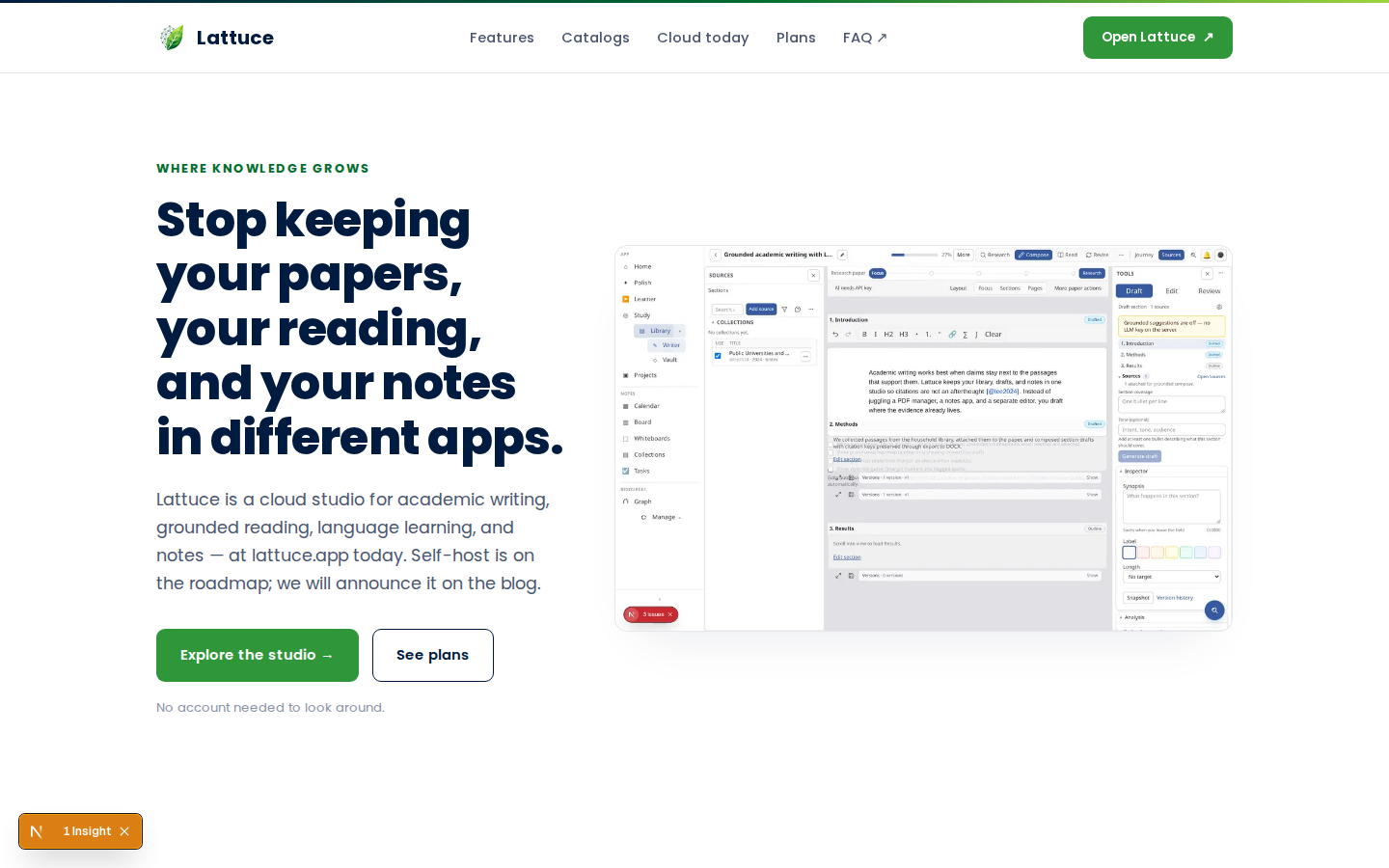
Lattuce on lattuce.app — cloud research workspace

Who this is for

You are…Send feedback when…
Trying Lattuce for a paper or thesisA page errors, a file never becomes ready, or export looks wrong
Sharing the household accountSomeone else cannot open a paper or library item you can see
Coming back after a quiet weekSomething that worked last time now fails

Questions about plans, privacy, or getting started can go to Contact or FAQ. This post is about bugs we can reproduce.

Before you start

You needNotes
The page that failedCopy the full URL from the address bar on lattuce.app
One more tryRepeat the steps once so you know they still fail
A screenshot (when the screen shows it)Crop to the error, empty state, or wrong result — not your whole desktop if you can avoid it
The Contact formThat is the public channel for alpha feedback

You do not need a perfect write-up. You do need enough for someone else to follow the same path.

What to include

Use this list. Paste it into Contact and fill the blanks.

FieldWhat to writeExample
URLFull address of the pagehttps://lattuce.app/papers/… (your real path)
StepsNumbered actions from a known start1. Open Library. 2. Upload a PDF. 3. Wait for ready.
ExpectedWhat should have happenedThe source shows ready and I can attach it
ActualWhat happened insteadThe row stays on “processing” after 20 minutes
ScreenshotImage of the error or wrong resultThe banner, empty list, or failed export dialog
WhenDate and rough time, plus browser19 June, Chrome on a laptop

Optional extras that help when they are not secrets:

  • File type (PDF, Word) and a rough size — not the file itself unless we ask
  • Whether you were signed in, and whether a second household member sees the same thing
  • Whether you tried the demo hub or a signed-in paper

What not to send

Do not paste anything that could open your account or your lab’s keys.

Leave outWhy
Passwords, one-time codes, recovery phrasesWe will never ask for these in a bug thread
API keys and provider tokensAdd keys only in your own account settings — never in Contact
Session cookies or Authorization headersThose are sign-in material
Full dumps of notes, emails, or student namesDescribe the problem; redact names and emails in screenshots
Private PDF contentsSay “a 12-page scanned PDF” instead of attaching the thesis

If a screenshot shows a key, cookie bar, or inbox, crop or blur it before you send.

How to send

  1. Open Contact.
  2. Say you are reporting a bug on lattuce.app during alpha.
  3. Paste the URL, numbered steps, expected vs actual, and attach the screenshot.
  4. Submit once. If the form fails, wait and try again — do not email keys to a side channel.

FAQ is the better first stop for billing and “how do I start” questions. Use Contact when something is broken.

After you send

Alpha means we ship often. We may ask one follow-up (browser, another screenshot, or “does it still happen?”). We will not ask you to paste secrets.

We warn before big changes to exports or saved work — see the alpha note in what alpha means. A bug report does not put your household on a public list.

If you decide Lattuce is not the right fit, Leaving Lattuce cleanly covers try-without-signup and account deletion.

Troubleshooting the report itself

SymptomWhat to do
You cannot copy a long URLWrite the path you see after lattuce.app and the button you clicked
The bug is “the site is slow”Add which page, what you clicked, and roughly how long you waited
It happened once and you cannot repeat itSend it anyway — say “could not reproduce,” plus the URL and time
Contact will not accept an imageDescribe the screen in two sentences and note that a screenshot is available

Related reading

  • Lattuce at lattuce.app is in alpha — what works today and what may change
  • Contact — questions, access issues, and bug reports
  • Try Lattuce without signing up — sample workspaces before you import a library
  • Leaving Lattuce cleanly — try first, delete if you need to
  • FAQ — billing, privacy, getting started

Bottom line

On alpha, the most useful bug report is a URL, numbered steps, expected vs actual, and a screenshot — sent through Contact, with no secrets. That is enough for us to follow the same path on lattuce.app.

Bahasa Melayu: Maklum balas alfa — cara laporkan pepijat berguna di lattuce.app

PreviousLeaving Notion pages in place — handoff checklist for Lattuce research

Workflow guides

  1. 1. Where you can use Lattuce today — cloud, Windows, and Android
  2. 2. Lattuce at lattuce.app is in alpha — what that means for you
  3. 3. Try Lattuce without signing up — interactive demos at lattuce.app/try
  4. 4. Leaving Lattuce cleanly — try first, delete when you need to
  5. 5. Literature review with Lattuce — from search to a cited Word file
  6. 6. Study vs Learner in Lattuce — exam prep or language learning?
  7. 7. Thesis format check in Lattuce — upload Word, fix layout, verify before you submit
  8. 8. BYOK on Lattuce — bring your own AI keys
  9. 9. Sources to DOCX in Lattuce — end-to-end manuscript workflow
  10. 10. BYOS on Lattuce — bring your own storage
  11. 11. Research missions in Lattuce — structured synthesis with evidence export
  12. 12. Use Lattuce from Cursor and Claude — your research in your IDE
  13. 13. Source Digest in Lattuce Study — audio, tables, mind maps, and flashcards
  14. 14. Workspace Ask for a household lab — grounded Q&A over your vault
  15. 15. Query canvas in Lattuce — live boards from your notes vault
  16. 16. Zotero to BibTeX in Lattuce — import, cite, and hand off bibliographies
  17. 17. Notes view layouts in Lattuce — Live, Read, and a sticky outline
  18. 18. Household admin's first week with Lattuce — checks and day-two tasks
  19. 19. Notes catalog layouts in Lattuce — Table, Board, Timeline, and saved views for your vault
  20. 20. Household billing and /pricing on Lattuce — transparent tiers for shared accounts
  21. 21. Version history in Lattuce — compare checkpoints, restore with confidence, and a three-tier workspace
  22. 22. Why Lattuce is not trying to replace Notion
  23. 23. Citation style preview in Lattuce — compare APA, MLA, Chicago, and more before you export
  24. 24. Research stack in 2026 — where Lattuce on lattuce.app sits
  25. 25. Supported citation formats in Lattuce — APA, Vancouver, Nature, and 27 more
  26. 26. Data residency for university labs in Malaysia
  27. 27. Why section approval beats realtime co-edit for academic papers
  28. 28. Research signals and feeds in Lattuce — headlines on home, sources in your library
  29. 29. Open catalogs Lattuce connects to — scholarly search, OA links, and books
  30. 30. How to export a cited thesis chapter to Word from Lattuce
  31. 31. Household Free vs Pro on lattuce.app — which plan fits your lab?
  32. 32. Try Lattuce Writer demo walkthrough — cited drafting without an account
  33. 33. Notes Live vs Read vs Split — when to use which in Lattuce
  34. 34. Citation styles for Malaysian universities in Lattuce Writer
  35. 35. From PDF highlight to cited paragraph in Lattuce
  36. 36. Leaving Notion pages in place — handoff checklist for Lattuce research
  37. You are here37. Alpha feedback — how to report useful bugs on lattuce.app

On this page

  1. Who this is for
  2. Before you start
  3. What to include
  4. What not to send
  5. How to send
  6. After you send
  7. Troubleshooting the report itself
  8. Related reading
  9. Bottom line

Explore Lattuce

Start writing, compare tools, or browse tutorials for your research stack.

Try LattuceTutorialsPlans

Subscribe to Workflow guides: RSS · Atom

← All posts
TermsPrivacyCookiesRefundsFAQContact[email protected]

© Lattuce

Skip to content
Blog
  1. Blog
  2. /
  3. Workflow guides
  4. /
  5. Alpha feedback — how to report useful bugs on lattuce.app

June 19, 2027 · Workflow guides

Alpha feedback — how to report useful bugs on lattuce.app

How to report useful bugs on lattuce.app during alpha: page URL, steps, expected vs actual, and a screenshot. Do not send secrets.

  • guide
  • alpha
  • feedback
  • support
  • seo
LanguageEnglishBahasa Melayu

Lattuce at lattuce.app is in alpha. Core research work is usable, and rough edges still show up. A useful bug report is short and specific: where you were, what you did, what you expected, what happened, and a screenshot when the screen is the evidence.

This guide is for authors and household members, not a runbook. For what “alpha” means day to day, start with Lattuce at lattuce.app is in alpha. Send reports through Contact.

Lattuce on lattuce.app — cloud research workspace

Who this is for

You are…Send feedback when…
Trying Lattuce for a paper or thesisA page errors, a file never becomes ready, or export looks wrong
Sharing the household accountSomeone else cannot open a paper or library item you can see
Coming back after a quiet weekSomething that worked last time now fails

Questions about plans, privacy, or getting started can go to Contact or FAQ. This post is about bugs we can reproduce.

Before you start

You needNotes
The page that failedCopy the full URL from the address bar on lattuce.app
One more tryRepeat the steps once so you know they still fail
A screenshot (when the screen shows it)Crop to the error, empty state, or wrong result — not your whole desktop if you can avoid it
The Contact formThat is the public channel for alpha feedback

You do not need a perfect write-up. You do need enough for someone else to follow the same path.

What to include

Use this list. Paste it into Contact and fill the blanks.

FieldWhat to writeExample
URLFull address of the pagehttps://lattuce.app/papers/… (your real path)
StepsNumbered actions from a known start1. Open Library. 2. Upload a PDF. 3. Wait for ready.
ExpectedWhat should have happenedThe source shows ready and I can attach it
ActualWhat happened insteadThe row stays on “processing” after 20 minutes
ScreenshotImage of the error or wrong resultThe banner, empty list, or failed export dialog
WhenDate and rough time, plus browser19 June, Chrome on a laptop

Optional extras that help when they are not secrets:

  • File type (PDF, Word) and a rough size — not the file itself unless we ask
  • Whether you were signed in, and whether a second household member sees the same thing
  • Whether you tried the demo hub or a signed-in paper

What not to send

Do not paste anything that could open your account or your lab’s keys.

Leave outWhy
Passwords, one-time codes, recovery phrasesWe will never ask for these in a bug thread
API keys and provider tokensAdd keys only in your own account settings — never in Contact
Session cookies or Authorization headersThose are sign-in material
Full dumps of notes, emails, or student namesDescribe the problem; redact names and emails in screenshots
Private PDF contentsSay “a 12-page scanned PDF” instead of attaching the thesis

If a screenshot shows a key, cookie bar, or inbox, crop or blur it before you send.

How to send

  1. Open Contact.
  2. Say you are reporting a bug on lattuce.app during alpha.
  3. Paste the URL, numbered steps, expected vs actual, and attach the screenshot.
  4. Submit once. If the form fails, wait and try again — do not email keys to a side channel.

FAQ is the better first stop for billing and “how do I start” questions. Use Contact when something is broken.

After you send

Alpha means we ship often. We may ask one follow-up (browser, another screenshot, or “does it still happen?”). We will not ask you to paste secrets.

We warn before big changes to exports or saved work — see the alpha note in what alpha means. A bug report does not put your household on a public list.

If you decide Lattuce is not the right fit, Leaving Lattuce cleanly covers try-without-signup and account deletion.

Troubleshooting the report itself

SymptomWhat to do
You cannot copy a long URLWrite the path you see after lattuce.app and the button you clicked
The bug is “the site is slow”Add which page, what you clicked, and roughly how long you waited
It happened once and you cannot repeat itSend it anyway — say “could not reproduce,” plus the URL and time
Contact will not accept an imageDescribe the screen in two sentences and note that a screenshot is available

Related reading

  • Lattuce at lattuce.app is in alpha — what works today and what may change
  • Contact — questions, access issues, and bug reports
  • Try Lattuce without signing up — sample workspaces before you import a library
  • Leaving Lattuce cleanly — try first, delete if you need to
  • FAQ — billing, privacy, getting started

Bottom line

On alpha, the most useful bug report is a URL, numbered steps, expected vs actual, and a screenshot — sent through Contact, with no secrets. That is enough for us to follow the same path on lattuce.app.

Bahasa Melayu: Maklum balas alfa — cara laporkan pepijat berguna di lattuce.app

PreviousLeaving Notion pages in place — handoff checklist for Lattuce research

Workflow guides

  1. 1. Where you can use Lattuce today — cloud, Windows, and Android
  2. 2. Lattuce at lattuce.app is in alpha — what that means for you
  3. 3. Try Lattuce without signing up — interactive demos at lattuce.app/try
  4. 4. Leaving Lattuce cleanly — try first, delete when you need to
  5. 5. Literature review with Lattuce — from search to a cited Word file
  6. 6. Study vs Learner in Lattuce — exam prep or language learning?
  7. 7. Thesis format check in Lattuce — upload Word, fix layout, verify before you submit
  8. 8. BYOK on Lattuce — bring your own AI keys
  9. 9. Sources to DOCX in Lattuce — end-to-end manuscript workflow
  10. 10. BYOS on Lattuce — bring your own storage
  11. 11. Research missions in Lattuce — structured synthesis with evidence export
  12. 12. Use Lattuce from Cursor and Claude — your research in your IDE
  13. 13. Source Digest in Lattuce Study — audio, tables, mind maps, and flashcards
  14. 14. Workspace Ask for a household lab — grounded Q&A over your vault
  15. 15. Query canvas in Lattuce — live boards from your notes vault
  16. 16. Zotero to BibTeX in Lattuce — import, cite, and hand off bibliographies
  17. 17. Notes view layouts in Lattuce — Live, Read, and a sticky outline
  18. 18. Household admin's first week with Lattuce — checks and day-two tasks
  19. 19. Notes catalog layouts in Lattuce — Table, Board, Timeline, and saved views for your vault
  20. 20. Household billing and /pricing on Lattuce — transparent tiers for shared accounts
  21. 21. Version history in Lattuce — compare checkpoints, restore with confidence, and a three-tier workspace
  22. 22. Why Lattuce is not trying to replace Notion
  23. 23. Citation style preview in Lattuce — compare APA, MLA, Chicago, and more before you export
  24. 24. Research stack in 2026 — where Lattuce on lattuce.app sits
  25. 25. Supported citation formats in Lattuce — APA, Vancouver, Nature, and 27 more
  26. 26. Data residency for university labs in Malaysia
  27. 27. Why section approval beats realtime co-edit for academic papers
  28. 28. Research signals and feeds in Lattuce — headlines on home, sources in your library
  29. 29. Open catalogs Lattuce connects to — scholarly search, OA links, and books
  30. 30. How to export a cited thesis chapter to Word from Lattuce
  31. 31. Household Free vs Pro on lattuce.app — which plan fits your lab?
  32. 32. Try Lattuce Writer demo walkthrough — cited drafting without an account
  33. 33. Notes Live vs Read vs Split — when to use which in Lattuce
  34. 34. Citation styles for Malaysian universities in Lattuce Writer
  35. 35. From PDF highlight to cited paragraph in Lattuce
  36. 36. Leaving Notion pages in place — handoff checklist for Lattuce research
  37. You are here37. Alpha feedback — how to report useful bugs on lattuce.app

On this page

  1. Who this is for
  2. Before you start
  3. What to include
  4. What not to send
  5. How to send
  6. After you send
  7. Troubleshooting the report itself
  8. Related reading
  9. Bottom line

Explore Lattuce

Start writing, compare tools, or browse tutorials for your research stack.

Try LattuceTutorialsPlans

Subscribe to Workflow guides: RSS · Atom

← All posts
TermsPrivacyCookiesRefundsFAQContact[email protected]

© Lattuce