Loading home
Loading home
Skip to content
Blog
  1. Blog
  2. /
  3. Workflow guides
  4. /
  5. Query canvas in Lattuce — live boards from your notes vault

January 9, 2027 · Workflow guides

Query canvas in Lattuce — live boards from your notes vault

Build query-driven boards that refresh from vault metadata — spatial organization without chasing full whiteboard parity.

  • guide
  • notes
  • canvas
  • pkm
  • seo
LanguageEnglishBahasa Melayu

Query canvas turns vault filters into live whiteboards on lattuce.app — materialize matching notes as cards, refresh when metadata changes, and reconcile without duplicating every note by hand.

It is synthesis infrastructure, not an infinite-canvas Miro competitor.
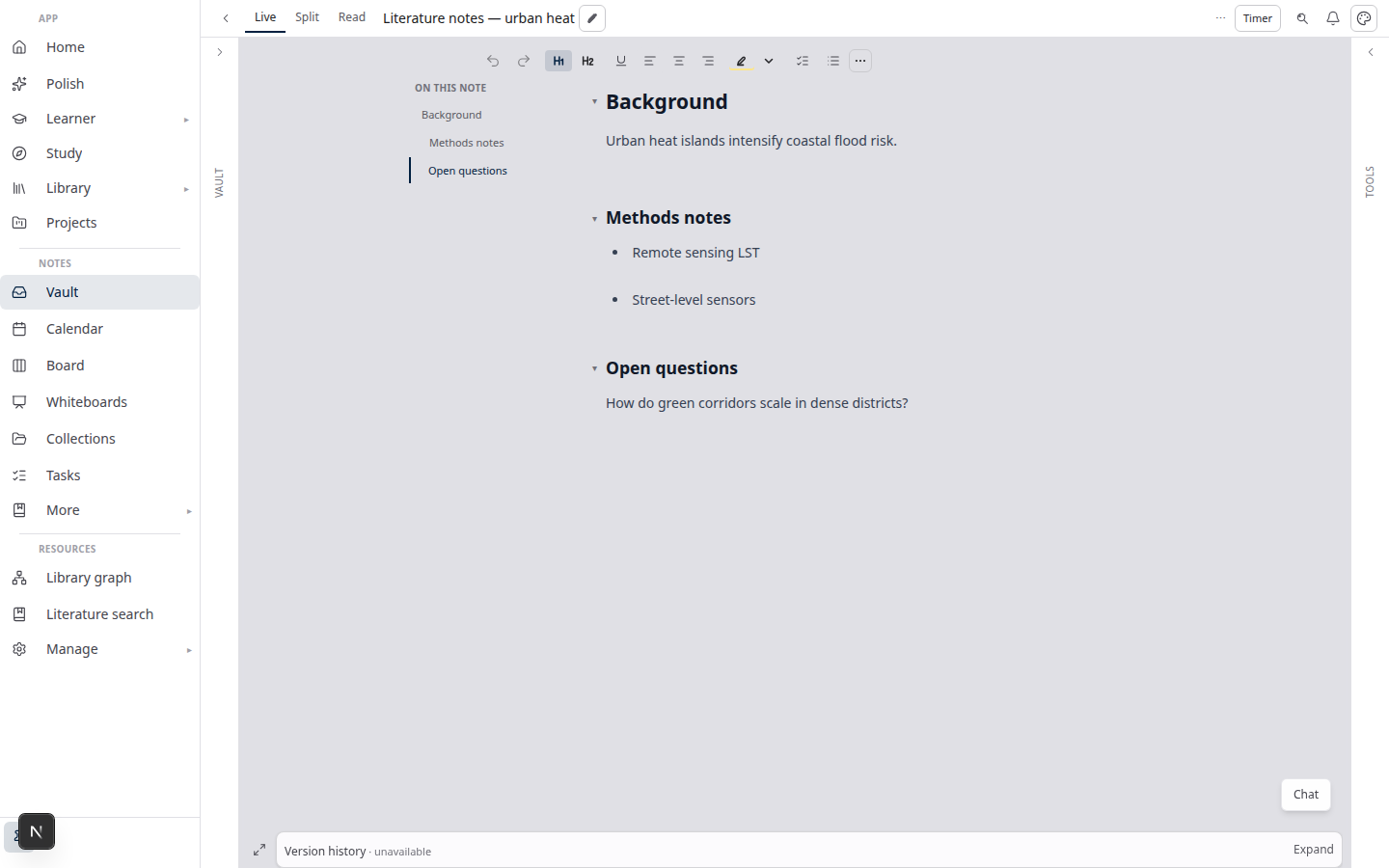
Lattuce Notes — Live editor and vault layout

Who this is for

You are…Query canvas helps when…
PKM-heavy researcherYour vault has hundreds of notes tagged by project
Thesis authorYou want a board that always shows “methods” notes
Visual thinkerYou like spatial layout but hate stale copy-paste

For freehand sketching, use Magic notebook notes — not the spatial canvas.

Before you start

You needNotes
Vault notesWith consistent tags, properties, or kinds
A whiteboardCreate from Notes → Whiteboards or open a canvas note
Saved preset (optional)Reuse filters across projects

Create a query board

  1. Open Notes → Whiteboards (or a canvas note in the vault).
  2. Open the Query canvas panel on the board.
  3. Define filters — tags, properties, text search, or saved presets.
  4. Click Preview to see which notes would appear as cards.
  5. Click Materialize to place cards on the board.

Materialize creates note cards with live previews — double-click to read beside the board.

Live refresh

Query boards carry live refresh metadata:

ActionEffect
RefreshRe-run the query; new matches appear as cards
ReconcileAlign board layout with current query results (add/remove/move)
Reconcile liveContinuous sync while you work (use when the vault changes often)

When a note’s tags change in the vault, the next refresh pulls it onto (or off) the board — you do not maintain two copies.

Canvas agent (propose → confirm)

Right-click empty canvas → Place card with AI…:

  1. Enter a short prompt.
  2. Review the proposal — which cards to add and where.
  3. Place to confirm, or cancel.

The agent proposes layout; it does not silently rewrite your vault. Undo restores the previous board state.

From MCP-connected IDEs, query_canvas_layout, materialize_canvas, and reconcile_canvas expose the same flows — see MCP guide.

vs whiteboard tools

Tool classStrengthLattuce query canvas
Heptabase / MiroWorkshop facilitation, card UX polishNot chased — see Heptabase vs Lattuce
AFFiNEFused doc + infinite canvasLattuce links boards to cited export — AFFiNE vs Lattuce
Obsidian canvasLocal plugin ecosystemLattuce adds query-driven refresh + Writer handoff

Bottom line: query canvas is for boards that stay true to your vault and feed papers — not for org-wide whiteboarding sessions.

Related reading

  • Notes catalog layouts in Lattuce
  • Heptabase vs Lattuce
  • AFFiNE vs Lattuce

Bahasa Melayu: Query canvas dalam Lattuce — papan langsung dari vault nota

PreviousWorkspace Ask for a household lab — grounded Q&A over your vaultNextZotero to BibTeX in Lattuce — import, cite, and hand off bibliographies

Workflow guides

  1. 1. Where you can use Lattuce today — cloud, Windows, and Android
  2. 2. Lattuce at lattuce.app is in alpha — what that means for you
  3. 3. Try Lattuce without signing up — interactive demos at lattuce.app/try
  4. 4. Leaving Lattuce cleanly — try first, delete when you need to
  5. 5. Literature review with Lattuce — from search to a cited Word file
  6. 6. Study vs Learner in Lattuce — exam prep or language learning?
  7. 7. Thesis format check in Lattuce — upload Word, fix layout, verify before you submit
  8. 8. BYOK on Lattuce — bring your own AI keys
  9. 9. Sources to DOCX in Lattuce — end-to-end manuscript workflow
  10. 10. BYOS on Lattuce — bring your own storage
  11. 11. Research missions in Lattuce — structured synthesis with evidence export
  12. 12. Use Lattuce from Cursor and Claude — your research in your IDE
  13. 13. Source Digest in Lattuce Study — audio, tables, mind maps, and flashcards
  14. 14. Workspace Ask for a household lab — grounded Q&A over your vault
  15. You are here15. Query canvas in Lattuce — live boards from your notes vault
  16. 16. Zotero to BibTeX in Lattuce — import, cite, and hand off bibliographies
  17. 17. Notes view layouts in Lattuce — Live, Read, and a sticky outline
  18. 18. Household admin's first week with Lattuce — checks and day-two tasks
  19. 19. Notes catalog layouts in Lattuce — Table, Board, Timeline, and saved views for your vault
  20. 20. Household billing and /pricing on Lattuce — transparent tiers for shared accounts
  21. 21. Version history in Lattuce — compare checkpoints, restore with confidence, and a three-tier workspace
  22. 22. Why Lattuce is not trying to replace Notion
  23. 23. Citation style preview in Lattuce — compare APA, MLA, Chicago, and more before you export
  24. 24. Research stack in 2026 — where Lattuce on lattuce.app sits
  25. 25. Supported citation formats in Lattuce — APA, Vancouver, Nature, and 27 more
  26. 26. Data residency for university labs in Malaysia
  27. 27. Why section approval beats realtime co-edit for academic papers
  28. 28. Research signals and feeds in Lattuce — headlines on home, sources in your library
  29. 29. Open catalogs Lattuce connects to — scholarly search, OA links, and books
  30. 30. How to export a cited thesis chapter to Word from Lattuce
  31. 31. Household Free vs Pro on lattuce.app — which plan fits your lab?
  32. 32. Try Lattuce Writer demo walkthrough — cited drafting without an account
  33. 33. Notes Live vs Read vs Split — when to use which in Lattuce
  34. 34. Citation styles for Malaysian universities in Lattuce Writer
  35. 35. From PDF highlight to cited paragraph in Lattuce
  36. 36. Leaving Notion pages in place — handoff checklist for Lattuce research
  37. 37. Alpha feedback — how to report useful bugs on lattuce.app

On this page

  1. Who this is for
  2. Before you start
  3. Create a query board
  4. Live refresh
  5. Canvas agent (propose → confirm)
  6. vs whiteboard tools
  7. Related reading

Explore Lattuce

Start writing, compare tools, or browse tutorials for your research stack.

Try LattuceTutorialsPlans

Subscribe to Workflow guides: RSS · Atom

← All posts
TermsPrivacyCookiesRefundsFAQContact[email protected]

© Lattuce

Skip to content
Blog
  1. Blog
  2. /
  3. Workflow guides
  4. /
  5. Query canvas in Lattuce — live boards from your notes vault

January 9, 2027 · Workflow guides

Query canvas in Lattuce — live boards from your notes vault

Build query-driven boards that refresh from vault metadata — spatial organization without chasing full whiteboard parity.

  • guide
  • notes
  • canvas
  • pkm
  • seo
LanguageEnglishBahasa Melayu

Query canvas turns vault filters into live whiteboards on lattuce.app — materialize matching notes as cards, refresh when metadata changes, and reconcile without duplicating every note by hand.

It is synthesis infrastructure, not an infinite-canvas Miro competitor.

Lattuce Notes — Live editor and vault layout

Who this is for

You are…Query canvas helps when…
PKM-heavy researcherYour vault has hundreds of notes tagged by project
Thesis authorYou want a board that always shows “methods” notes
Visual thinkerYou like spatial layout but hate stale copy-paste

For freehand sketching, use Magic notebook notes — not the spatial canvas.

Before you start

You needNotes
Vault notesWith consistent tags, properties, or kinds
A whiteboardCreate from Notes → Whiteboards or open a canvas note
Saved preset (optional)Reuse filters across projects

Create a query board

  1. Open Notes → Whiteboards (or a canvas note in the vault).
  2. Open the Query canvas panel on the board.
  3. Define filters — tags, properties, text search, or saved presets.
  4. Click Preview to see which notes would appear as cards.
  5. Click Materialize to place cards on the board.

Materialize creates note cards with live previews — double-click to read beside the board.

Live refresh

Query boards carry live refresh metadata:

ActionEffect
RefreshRe-run the query; new matches appear as cards
ReconcileAlign board layout with current query results (add/remove/move)
Reconcile liveContinuous sync while you work (use when the vault changes often)

When a note’s tags change in the vault, the next refresh pulls it onto (or off) the board — you do not maintain two copies.

Canvas agent (propose → confirm)

Right-click empty canvas → Place card with AI…:

  1. Enter a short prompt.
  2. Review the proposal — which cards to add and where.
  3. Place to confirm, or cancel.

The agent proposes layout; it does not silently rewrite your vault. Undo restores the previous board state.

From MCP-connected IDEs, query_canvas_layout, materialize_canvas, and reconcile_canvas expose the same flows — see MCP guide.

vs whiteboard tools

Tool classStrengthLattuce query canvas
Heptabase / MiroWorkshop facilitation, card UX polishNot chased — see Heptabase vs Lattuce
AFFiNEFused doc + infinite canvasLattuce links boards to cited export — AFFiNE vs Lattuce
Obsidian canvasLocal plugin ecosystemLattuce adds query-driven refresh + Writer handoff

Bottom line: query canvas is for boards that stay true to your vault and feed papers — not for org-wide whiteboarding sessions.

Related reading

  • Notes catalog layouts in Lattuce
  • Heptabase vs Lattuce
  • AFFiNE vs Lattuce

Bahasa Melayu: Query canvas dalam Lattuce — papan langsung dari vault nota

PreviousWorkspace Ask for a household lab — grounded Q&A over your vaultNextZotero to BibTeX in Lattuce — import, cite, and hand off bibliographies

Workflow guides

  1. 1. Where you can use Lattuce today — cloud, Windows, and Android
  2. 2. Lattuce at lattuce.app is in alpha — what that means for you
  3. 3. Try Lattuce without signing up — interactive demos at lattuce.app/try
  4. 4. Leaving Lattuce cleanly — try first, delete when you need to
  5. 5. Literature review with Lattuce — from search to a cited Word file
  6. 6. Study vs Learner in Lattuce — exam prep or language learning?
  7. 7. Thesis format check in Lattuce — upload Word, fix layout, verify before you submit
  8. 8. BYOK on Lattuce — bring your own AI keys
  9. 9. Sources to DOCX in Lattuce — end-to-end manuscript workflow
  10. 10. BYOS on Lattuce — bring your own storage
  11. 11. Research missions in Lattuce — structured synthesis with evidence export
  12. 12. Use Lattuce from Cursor and Claude — your research in your IDE
  13. 13. Source Digest in Lattuce Study — audio, tables, mind maps, and flashcards
  14. 14. Workspace Ask for a household lab — grounded Q&A over your vault
  15. You are here15. Query canvas in Lattuce — live boards from your notes vault
  16. 16. Zotero to BibTeX in Lattuce — import, cite, and hand off bibliographies
  17. 17. Notes view layouts in Lattuce — Live, Read, and a sticky outline
  18. 18. Household admin's first week with Lattuce — checks and day-two tasks
  19. 19. Notes catalog layouts in Lattuce — Table, Board, Timeline, and saved views for your vault
  20. 20. Household billing and /pricing on Lattuce — transparent tiers for shared accounts
  21. 21. Version history in Lattuce — compare checkpoints, restore with confidence, and a three-tier workspace
  22. 22. Why Lattuce is not trying to replace Notion
  23. 23. Citation style preview in Lattuce — compare APA, MLA, Chicago, and more before you export
  24. 24. Research stack in 2026 — where Lattuce on lattuce.app sits
  25. 25. Supported citation formats in Lattuce — APA, Vancouver, Nature, and 27 more
  26. 26. Data residency for university labs in Malaysia
  27. 27. Why section approval beats realtime co-edit for academic papers
  28. 28. Research signals and feeds in Lattuce — headlines on home, sources in your library
  29. 29. Open catalogs Lattuce connects to — scholarly search, OA links, and books
  30. 30. How to export a cited thesis chapter to Word from Lattuce
  31. 31. Household Free vs Pro on lattuce.app — which plan fits your lab?
  32. 32. Try Lattuce Writer demo walkthrough — cited drafting without an account
  33. 33. Notes Live vs Read vs Split — when to use which in Lattuce
  34. 34. Citation styles for Malaysian universities in Lattuce Writer
  35. 35. From PDF highlight to cited paragraph in Lattuce
  36. 36. Leaving Notion pages in place — handoff checklist for Lattuce research
  37. 37. Alpha feedback — how to report useful bugs on lattuce.app

On this page

  1. Who this is for
  2. Before you start
  3. Create a query board
  4. Live refresh
  5. Canvas agent (propose → confirm)
  6. vs whiteboard tools
  7. Related reading

Explore Lattuce

Start writing, compare tools, or browse tutorials for your research stack.

Try LattuceTutorialsPlans

Subscribe to Workflow guides: RSS · Atom

← All posts
TermsPrivacyCookiesRefundsFAQContact[email protected]

© Lattuce