Loading home
Loading home
Skip to content
Blog
  1. Blog
  2. /
  3. Workflow guides
  4. /
  5. Supported citation formats in Lattuce — APA, Vancouver, Nature, and 27 more

August 15, 2026 · Workflow guides

Supported citation formats in Lattuce — APA, Vancouver, Nature, and 27 more

Lattuce Writer supports 30 citation formats — APA, Vancouver, Nature, and more. Preview in-text and bibliography, then lock a style before Word export.

  • guide
  • writer
  • citations
  • bibliography
  • vancouver
  • seo

A journal desk will bounce a manuscript for the wrong bibliography as quickly as for a weak claim. Lattuce Writer ships a curated catalog of 30 citation formats so you can match a venue, compare how a source looks in-text and in the reference list, and lock one style for the whole paper before you export to Word.

This is the full catalog. An earlier citation style preview walkthrough used five common starters (APA, MLA, Chicago, Harvard, IEEE). The picker has grown: those five are still the fastest way in, and the dialog now searches and compares thirty curated styles.
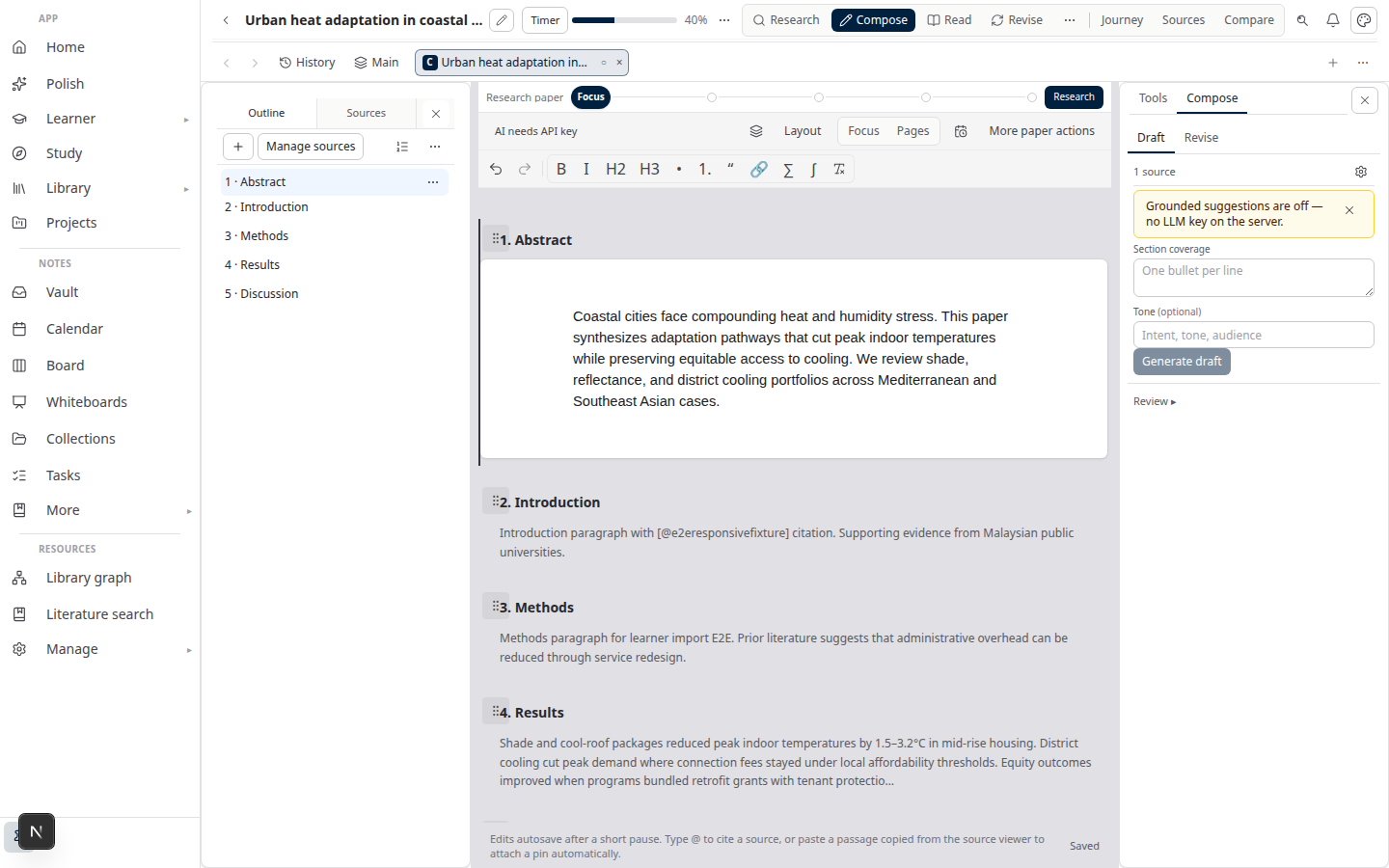
Lattuce Writer — citation styles and manuscript export

Lattuce is the research-and-writing layer at lattuce.app — academic writing with sources you can check, not a Notion replacement. Formatting uses Citation Style Language (CSL) — shared style definitions many tools use. CSL is not a copy-edit guarantee for every special issue.

Who this is for

You are…This catalog helps when…
Article or thesis authorThe target journal names a house style (Nature, Vancouver, OSCOLA) and you need to confirm Lattuce can format it
Co-author switching venuesYou resubmit from a social-science draft (APA) to a medical journal (Vancouver) without rebuilding the library
Supervisor or lab adminYou want one paper-wide style the group can preview before anyone pastes into Word

Zotero (or another manager) still owns collecting and tagging references. Lattuce formats what is already on the paper. Import and BibTeX handoff stay complementary — see Lattuce with Zotero.

Before you start

You needNotes
A paper project in LattuceLibrary → Papers → New paper, or open an existing manuscript
Writer workspaceOpen Write (or Compose) for that paper
Optional: sources attachedPreview is clearer when a source is selected or open in Details
Optional: a venue nameJournal, faculty handbook, or publisher — so you can search the catalog instead of guessing

No extra AI keys are required to browse or apply a citation style. New to the product? Try Lattuce without signup on a demo paper.

The default on a new paper is APA 7th. Change it when the venue asks for something else.

How to find and set a style

  1. Open the paper in Write.
  2. In the References strip at the bottom of the editor (wide layouts), open the Citation style control. On narrower layouts, the same control is under More in the paper header.
  3. Click Preview to open Citation style preview.
  4. Type in Search styles… — names such as vancouver, nature, or oscola filter the list.
  5. Compare the live In-text citation and Bibliography entry for the same metadata. Copy either string if you need it in email or a supervisor comment.
  6. Click Use this style to save that choice on the paper, or change the style dropdown next to Preview to set it without the dialog.

The preview can prefill from Details, from a source you marked for compose, or from a built-in sample. Edits you type inside the preview are for comparison only — they do not save to your bibliography. Save metadata in Details when the library record should change.

Use preview when you are still choosing (APA vs Vancouver, Harvard vs SAGE Harvard). Lock the paper style when you are ready for live in-text markers, the References strip, and Word export to stay in sync. The preview guide covers prefill order and copy buttons in more detail.

Path A — Journal sciences (numeric)

Best when the venue uses numbered citations — engineering, chemistry, life sciences, and most clinical journals.

Search for IEEE, Vancouver (Elsevier), AMA, ACS, Nature, Science, Cell, The Lancet, BMJ, or PLOS. In-text markers are numeric (for example [1]) rather than (Author, Year). Lock the style before you draft so Compose chips match the journal’s habit.

Path B — Humanities and law (author–date or notes)

Best for theses, history, literature, and legal writing.

Start with MLA 9th, Chicago (author-date), Turabian, or Harvard. For law, search OSCOLA, AGLC, or Bluebook. These are typically author–date or note styles as labeled — preview a book chapter and a journal article before you commit, because punctuation and italic titles differ more than the in-text form.

Path C — Publisher house styles

Best when the author guidelines say “follow our house style” rather than a named handbook.

Search the publisher: Springer Basic, Springer SocPsych, Wiley, Cambridge University Press, Oxford University Press, Taylor & Francis, SAGE Harvard, Elsevier Harvard, Frontiers, MDPI, or Copernicus. House styles are close cousins of Harvard or Vancouver; preview still matters because bibliography punctuation is not identical.

Supported formats (thirty styles)

Grouped for scanning. Labels match the Writer picker.

Common academic starters

Style in WriterTypical use
APA 7th (default)Social sciences, education, many interdisciplinary journals
Chicago (author-date)History and mixed-method work that wants author–date, not footnotes
MLA 9thHumanities and some conference papers
HarvardUK and Commonwealth theses; a common faculty default
TurabianStudent theses that follow Chicago’s student handbook

STEM journals

Style in WriterTypical use
IEEEEngineering — numeric in-text markers
ACSChemistry — numeric
NatureNature family — numeric
ScienceAAAS Science — numeric
CellCell Press — numeric
Royal SocietyRoyal Society journals

Medicine and health

Style in WriterTypical use
Vancouver (Elsevier)Clinical and biomedical journals — numeric
AMAMedical association journals — numeric
The LancetLancet family — numeric
BMJBMJ journals — numeric
PLOSPLOS journals — numeric

Publisher house styles

Style in WriterTypical use
Springer BasicSpringer journals that cite the basic template
Springer SocPsychSpringer social / psychology titles
WileyWiley author guidelines
Cambridge University PressCUP journals and books
Oxford University PressOUP journals and books
Taylor & FrancisT&F journals
SAGE HarvardSAGE titles that specify Harvard
Elsevier HarvardElsevier titles that specify Harvard (not Vancouver)
FrontiersFrontiers journals
MDPIMDPI journals
CopernicusCopernicus / EGU-style journals

Law

Style in WriterTypical use
OSCOLAUK and common-law academic legal writing
AGLCAustralian Guide to Legal Citation
BluebookUS legal citation

Numeric in-text markers (as shipped): IEEE, Vancouver, AMA, ACS, Nature, Science, Cell, The Lancet, BMJ, and PLOS. The rest are typically author–date or note styles as labeled in the picker.

What the style changes in the pipeline

StageWhat the paper style affects
ComposeIn-text markers and citation chips follow the locked style (numeric vs author–date)
Live References stripBibliography lines for sources you have cited reformat immediately
Export to WordThe reference section in the .docx uses the same paper style
BibTeX downloadStill available from the References strip for a handoff to Overleaf or Zotero — download does not replace the Word bibliography

Citation verification — whether a sentence actually matches the source — is a different Compose check. Do not treat a correctly styled (Lee, 2021) as proof the claim is grounded. That flow lives in the literature review guide.

After the bibliography looks right, export and layout still have their own passes: sources to DOCX and thesis format check.

Honest limits

  • Thirty curated styles, not every CSL file on the web. If a special issue invents a one-off variant, pick the closest house style and fix the last mile in Word.
  • CSL formatting is not a journal copy-edit. Ahead-of-print, supplements, and legal pinpoint cites often need a human pass.
  • Zotero still owns the reference manager job. Lattuce does not write citations back into your Zotero library. Keep collecting there; format and write here.
  • Preview edits are disposable. Changing a title in the dialog does not update the source record.
  • Lattuce is not a team wiki. Keep lab notes in Notion or your vault; use Writer when the work must become a cited manuscript.

Related reading

  • Citation style preview in Lattuce — how the compare dialog, prefill, and copy buttons work
  • Literature review with Lattuce — research through Compose, including citation checks (not style formatting)
  • Sources to DOCX — export path after you lock a style
  • Thesis format check — layout pass once citations are stable
  • Try Lattuce without signup — open Writer on a demo paper
  • Lattuce with Zotero — import and BibTeX handoff; Zotero remains the manager

Bottom line

Lattuce Writer supports thirty curated citation formats — from APA 7th (the default) through Vancouver, Nature, and Bluebook. Search the catalog, preview in-text and bibliography on your own metadata, then lock one paper-wide style so Compose, the References strip, and Word export stay aligned. Use preview to choose; lock the style to ship. Keep Zotero for the library, and treat CSL output as a strong draft, not the journal’s last word.

PreviousResearch stack in 2026 — where Lattuce on lattuce.app sitsNextData residency for university labs in Malaysia

Workflow guides

  1. 1. Where you can use Lattuce today — cloud, Windows, and Android
  2. 2. Lattuce at lattuce.app is in alpha — what that means for you
  3. 3. Try Lattuce without signing up — interactive demos at lattuce.app/try
  4. 4. Leaving Lattuce cleanly — try first, delete when you need to
  5. 5. Literature review with Lattuce — from search to a cited Word file
  6. 6. Study vs Learner in Lattuce — exam prep or language learning?
  7. 7. Thesis format check in Lattuce — upload Word, fix layout, verify before you submit
  8. 8. BYOK on Lattuce — bring your own AI keys
  9. 9. Sources to DOCX in Lattuce — end-to-end manuscript workflow
  10. 10. BYOS on Lattuce — bring your own storage
  11. 11. Research missions in Lattuce — structured synthesis with evidence export
  12. 12. Use Lattuce from Cursor and Claude — your research in your IDE
  13. 13. Source Digest in Lattuce Study — audio, tables, mind maps, and flashcards
  14. 14. Workspace Ask for a household lab — grounded Q&A over your vault
  15. 15. Query canvas in Lattuce — live boards from your notes vault
  16. 16. Zotero to BibTeX in Lattuce — import, cite, and hand off bibliographies
  17. 17. Notes view layouts in Lattuce — Live, Read, and a sticky outline
  18. 18. Household admin's first week with Lattuce — checks and day-two tasks
  19. 19. Notes catalog layouts in Lattuce — Table, Board, Timeline, and saved views for your vault
  20. 20. Household billing and /pricing on Lattuce — transparent tiers for shared accounts
  21. 21. Version history in Lattuce — compare checkpoints, restore with confidence, and a three-tier workspace
  22. 22. Why Lattuce is not trying to replace Notion
  23. 23. Citation style preview in Lattuce — compare APA, MLA, Chicago, and more before you export
  24. 24. Research stack in 2026 — where Lattuce on lattuce.app sits
  25. You are here25. Supported citation formats in Lattuce — APA, Vancouver, Nature, and 27 more
  26. 26. Data residency for university labs in Malaysia
  27. 27. Why section approval beats realtime co-edit for academic papers
  28. 28. Research signals and feeds in Lattuce — headlines on home, sources in your library
  29. 29. Open catalogs Lattuce connects to — scholarly search, OA links, and books
  30. 30. How to export a cited thesis chapter to Word from Lattuce
  31. 31. Household Free vs Pro on lattuce.app — which plan fits your lab?
  32. 32. Try Lattuce Writer demo walkthrough — cited drafting without an account
  33. 33. Notes Live vs Read vs Split — when to use which in Lattuce
  34. 34. Citation styles for Malaysian universities in Lattuce Writer
  35. 35. From PDF highlight to cited paragraph in Lattuce
  36. 36. Leaving Notion pages in place — handoff checklist for Lattuce research
  37. 37. Alpha feedback — how to report useful bugs on lattuce.app

On this page

  1. Who this is for
  2. Before you start
  3. How to find and set a style
  4. Path A — Journal sciences (numeric)
  5. Path B — Humanities and law (author–date or notes)
  6. Path C — Publisher house styles
  7. Supported formats (thirty styles)
  8. Common academic starters
  9. STEM journals
  10. Medicine and health
  11. Publisher house styles
  12. Law
  13. What the style changes in the pipeline
  14. Honest limits
  15. Related reading
  16. Bottom line

Explore Lattuce

Start writing, compare tools, or browse tutorials for your research stack.

Try LattuceTutorialsPlans

Subscribe to Workflow guides: RSS · Atom

← All posts
TermsPrivacyCookiesRefundsFAQContact[email protected]

© Lattuce

Skip to content
Blog
  1. Blog
  2. /
  3. Workflow guides
  4. /
  5. Supported citation formats in Lattuce — APA, Vancouver, Nature, and 27 more

August 15, 2026 · Workflow guides

Supported citation formats in Lattuce — APA, Vancouver, Nature, and 27 more

Lattuce Writer supports 30 citation formats — APA, Vancouver, Nature, and more. Preview in-text and bibliography, then lock a style before Word export.

  • guide
  • writer
  • citations
  • bibliography
  • vancouver
  • seo

A journal desk will bounce a manuscript for the wrong bibliography as quickly as for a weak claim. Lattuce Writer ships a curated catalog of 30 citation formats so you can match a venue, compare how a source looks in-text and in the reference list, and lock one style for the whole paper before you export to Word.

This is the full catalog. An earlier citation style preview walkthrough used five common starters (APA, MLA, Chicago, Harvard, IEEE). The picker has grown: those five are still the fastest way in, and the dialog now searches and compares thirty curated styles.

Lattuce Writer — citation styles and manuscript export

Lattuce is the research-and-writing layer at lattuce.app — academic writing with sources you can check, not a Notion replacement. Formatting uses Citation Style Language (CSL) — shared style definitions many tools use. CSL is not a copy-edit guarantee for every special issue.

Who this is for

You are…This catalog helps when…
Article or thesis authorThe target journal names a house style (Nature, Vancouver, OSCOLA) and you need to confirm Lattuce can format it
Co-author switching venuesYou resubmit from a social-science draft (APA) to a medical journal (Vancouver) without rebuilding the library
Supervisor or lab adminYou want one paper-wide style the group can preview before anyone pastes into Word

Zotero (or another manager) still owns collecting and tagging references. Lattuce formats what is already on the paper. Import and BibTeX handoff stay complementary — see Lattuce with Zotero.

Before you start

You needNotes
A paper project in LattuceLibrary → Papers → New paper, or open an existing manuscript
Writer workspaceOpen Write (or Compose) for that paper
Optional: sources attachedPreview is clearer when a source is selected or open in Details
Optional: a venue nameJournal, faculty handbook, or publisher — so you can search the catalog instead of guessing

No extra AI keys are required to browse or apply a citation style. New to the product? Try Lattuce without signup on a demo paper.

The default on a new paper is APA 7th. Change it when the venue asks for something else.

How to find and set a style

  1. Open the paper in Write.
  2. In the References strip at the bottom of the editor (wide layouts), open the Citation style control. On narrower layouts, the same control is under More in the paper header.
  3. Click Preview to open Citation style preview.
  4. Type in Search styles… — names such as vancouver, nature, or oscola filter the list.
  5. Compare the live In-text citation and Bibliography entry for the same metadata. Copy either string if you need it in email or a supervisor comment.
  6. Click Use this style to save that choice on the paper, or change the style dropdown next to Preview to set it without the dialog.

The preview can prefill from Details, from a source you marked for compose, or from a built-in sample. Edits you type inside the preview are for comparison only — they do not save to your bibliography. Save metadata in Details when the library record should change.

Use preview when you are still choosing (APA vs Vancouver, Harvard vs SAGE Harvard). Lock the paper style when you are ready for live in-text markers, the References strip, and Word export to stay in sync. The preview guide covers prefill order and copy buttons in more detail.

Path A — Journal sciences (numeric)

Best when the venue uses numbered citations — engineering, chemistry, life sciences, and most clinical journals.

Search for IEEE, Vancouver (Elsevier), AMA, ACS, Nature, Science, Cell, The Lancet, BMJ, or PLOS. In-text markers are numeric (for example [1]) rather than (Author, Year). Lock the style before you draft so Compose chips match the journal’s habit.

Path B — Humanities and law (author–date or notes)

Best for theses, history, literature, and legal writing.

Start with MLA 9th, Chicago (author-date), Turabian, or Harvard. For law, search OSCOLA, AGLC, or Bluebook. These are typically author–date or note styles as labeled — preview a book chapter and a journal article before you commit, because punctuation and italic titles differ more than the in-text form.

Path C — Publisher house styles

Best when the author guidelines say “follow our house style” rather than a named handbook.

Search the publisher: Springer Basic, Springer SocPsych, Wiley, Cambridge University Press, Oxford University Press, Taylor & Francis, SAGE Harvard, Elsevier Harvard, Frontiers, MDPI, or Copernicus. House styles are close cousins of Harvard or Vancouver; preview still matters because bibliography punctuation is not identical.

Supported formats (thirty styles)

Grouped for scanning. Labels match the Writer picker.

Common academic starters

Style in WriterTypical use
APA 7th (default)Social sciences, education, many interdisciplinary journals
Chicago (author-date)History and mixed-method work that wants author–date, not footnotes
MLA 9thHumanities and some conference papers
HarvardUK and Commonwealth theses; a common faculty default
TurabianStudent theses that follow Chicago’s student handbook

STEM journals

Style in WriterTypical use
IEEEEngineering — numeric in-text markers
ACSChemistry — numeric
NatureNature family — numeric
ScienceAAAS Science — numeric
CellCell Press — numeric
Royal SocietyRoyal Society journals

Medicine and health

Style in WriterTypical use
Vancouver (Elsevier)Clinical and biomedical journals — numeric
AMAMedical association journals — numeric
The LancetLancet family — numeric
BMJBMJ journals — numeric
PLOSPLOS journals — numeric

Publisher house styles

Style in WriterTypical use
Springer BasicSpringer journals that cite the basic template
Springer SocPsychSpringer social / psychology titles
WileyWiley author guidelines
Cambridge University PressCUP journals and books
Oxford University PressOUP journals and books
Taylor & FrancisT&F journals
SAGE HarvardSAGE titles that specify Harvard
Elsevier HarvardElsevier titles that specify Harvard (not Vancouver)
FrontiersFrontiers journals
MDPIMDPI journals
CopernicusCopernicus / EGU-style journals

Law

Style in WriterTypical use
OSCOLAUK and common-law academic legal writing
AGLCAustralian Guide to Legal Citation
BluebookUS legal citation

Numeric in-text markers (as shipped): IEEE, Vancouver, AMA, ACS, Nature, Science, Cell, The Lancet, BMJ, and PLOS. The rest are typically author–date or note styles as labeled in the picker.

What the style changes in the pipeline

StageWhat the paper style affects
ComposeIn-text markers and citation chips follow the locked style (numeric vs author–date)
Live References stripBibliography lines for sources you have cited reformat immediately
Export to WordThe reference section in the .docx uses the same paper style
BibTeX downloadStill available from the References strip for a handoff to Overleaf or Zotero — download does not replace the Word bibliography

Citation verification — whether a sentence actually matches the source — is a different Compose check. Do not treat a correctly styled (Lee, 2021) as proof the claim is grounded. That flow lives in the literature review guide.

After the bibliography looks right, export and layout still have their own passes: sources to DOCX and thesis format check.

Honest limits

  • Thirty curated styles, not every CSL file on the web. If a special issue invents a one-off variant, pick the closest house style and fix the last mile in Word.
  • CSL formatting is not a journal copy-edit. Ahead-of-print, supplements, and legal pinpoint cites often need a human pass.
  • Zotero still owns the reference manager job. Lattuce does not write citations back into your Zotero library. Keep collecting there; format and write here.
  • Preview edits are disposable. Changing a title in the dialog does not update the source record.
  • Lattuce is not a team wiki. Keep lab notes in Notion or your vault; use Writer when the work must become a cited manuscript.

Related reading

  • Citation style preview in Lattuce — how the compare dialog, prefill, and copy buttons work
  • Literature review with Lattuce — research through Compose, including citation checks (not style formatting)
  • Sources to DOCX — export path after you lock a style
  • Thesis format check — layout pass once citations are stable
  • Try Lattuce without signup — open Writer on a demo paper
  • Lattuce with Zotero — import and BibTeX handoff; Zotero remains the manager

Bottom line

Lattuce Writer supports thirty curated citation formats — from APA 7th (the default) through Vancouver, Nature, and Bluebook. Search the catalog, preview in-text and bibliography on your own metadata, then lock one paper-wide style so Compose, the References strip, and Word export stay aligned. Use preview to choose; lock the style to ship. Keep Zotero for the library, and treat CSL output as a strong draft, not the journal’s last word.

PreviousResearch stack in 2026 — where Lattuce on lattuce.app sitsNextData residency for university labs in Malaysia

Workflow guides

  1. 1. Where you can use Lattuce today — cloud, Windows, and Android
  2. 2. Lattuce at lattuce.app is in alpha — what that means for you
  3. 3. Try Lattuce without signing up — interactive demos at lattuce.app/try
  4. 4. Leaving Lattuce cleanly — try first, delete when you need to
  5. 5. Literature review with Lattuce — from search to a cited Word file
  6. 6. Study vs Learner in Lattuce — exam prep or language learning?
  7. 7. Thesis format check in Lattuce — upload Word, fix layout, verify before you submit
  8. 8. BYOK on Lattuce — bring your own AI keys
  9. 9. Sources to DOCX in Lattuce — end-to-end manuscript workflow
  10. 10. BYOS on Lattuce — bring your own storage
  11. 11. Research missions in Lattuce — structured synthesis with evidence export
  12. 12. Use Lattuce from Cursor and Claude — your research in your IDE
  13. 13. Source Digest in Lattuce Study — audio, tables, mind maps, and flashcards
  14. 14. Workspace Ask for a household lab — grounded Q&A over your vault
  15. 15. Query canvas in Lattuce — live boards from your notes vault
  16. 16. Zotero to BibTeX in Lattuce — import, cite, and hand off bibliographies
  17. 17. Notes view layouts in Lattuce — Live, Read, and a sticky outline
  18. 18. Household admin's first week with Lattuce — checks and day-two tasks
  19. 19. Notes catalog layouts in Lattuce — Table, Board, Timeline, and saved views for your vault
  20. 20. Household billing and /pricing on Lattuce — transparent tiers for shared accounts
  21. 21. Version history in Lattuce — compare checkpoints, restore with confidence, and a three-tier workspace
  22. 22. Why Lattuce is not trying to replace Notion
  23. 23. Citation style preview in Lattuce — compare APA, MLA, Chicago, and more before you export
  24. 24. Research stack in 2026 — where Lattuce on lattuce.app sits
  25. You are here25. Supported citation formats in Lattuce — APA, Vancouver, Nature, and 27 more
  26. 26. Data residency for university labs in Malaysia
  27. 27. Why section approval beats realtime co-edit for academic papers
  28. 28. Research signals and feeds in Lattuce — headlines on home, sources in your library
  29. 29. Open catalogs Lattuce connects to — scholarly search, OA links, and books
  30. 30. How to export a cited thesis chapter to Word from Lattuce
  31. 31. Household Free vs Pro on lattuce.app — which plan fits your lab?
  32. 32. Try Lattuce Writer demo walkthrough — cited drafting without an account
  33. 33. Notes Live vs Read vs Split — when to use which in Lattuce
  34. 34. Citation styles for Malaysian universities in Lattuce Writer
  35. 35. From PDF highlight to cited paragraph in Lattuce
  36. 36. Leaving Notion pages in place — handoff checklist for Lattuce research
  37. 37. Alpha feedback — how to report useful bugs on lattuce.app

On this page

  1. Who this is for
  2. Before you start
  3. How to find and set a style
  4. Path A — Journal sciences (numeric)
  5. Path B — Humanities and law (author–date or notes)
  6. Path C — Publisher house styles
  7. Supported formats (thirty styles)
  8. Common academic starters
  9. STEM journals
  10. Medicine and health
  11. Publisher house styles
  12. Law
  13. What the style changes in the pipeline
  14. Honest limits
  15. Related reading
  16. Bottom line

Explore Lattuce

Start writing, compare tools, or browse tutorials for your research stack.

Try LattuceTutorialsPlans

Subscribe to Workflow guides: RSS · Atom

← All posts
TermsPrivacyCookiesRefundsFAQContact[email protected]

© Lattuce