Loading home
Loading home
Skip to content
Blog
  1. Blog
  2. /
  3. Workflow guides
  4. /
  5. Try Lattuce Writer demo walkthrough — cited drafting without an account

April 17, 2027 · Workflow guides

Try Lattuce Writer demo walkthrough — cited drafting without an account

Try the Lattuce Writer demo without signup — sample sources, compose, then sign in when you want to save.

  • guide
  • writer
  • demo
  • citations
  • seo
LanguageEnglishBahasa Melayu

You can try Lattuce without signup in Writer. Open the compose demo, work the sample paper, and leave whenever you want — no account until you decide to save.

The Writer demo lives at lattuce.app/try/writer. You can also reach it from the Try hub under Apps. Guest sessions use sample content. Progress may not persist the way a signed-in household does.
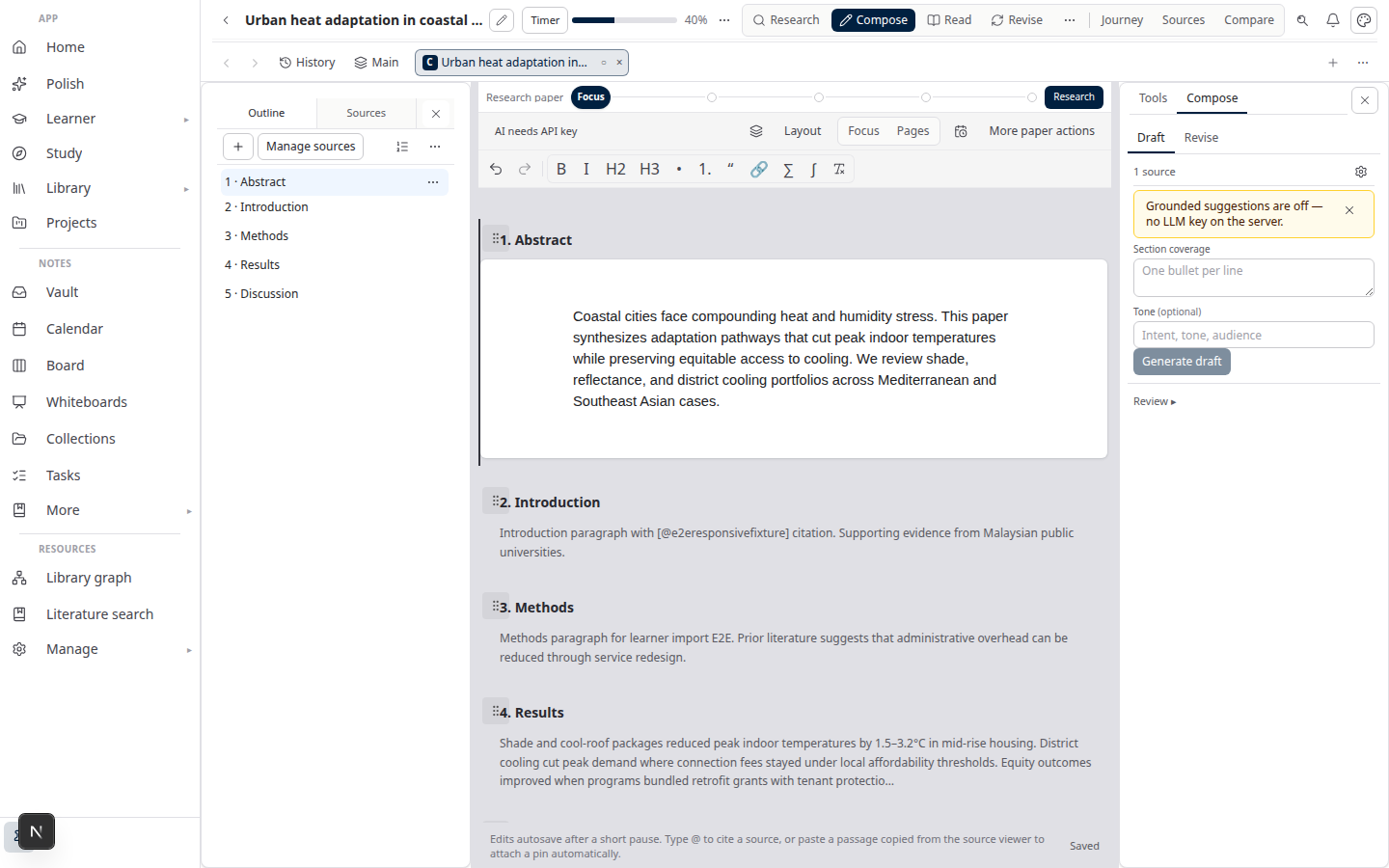
Writer compose demo — draft with sources on lattuce.app

Who this is for

You are…Why this walkthrough helps
Evaluating Writer for a thesis or articleSee outline, draft, and sources in the real compose chrome
Comparing cited drafting toolsJudge whether Lattuce’s research-and-writing layer fits before you import a library
Coming from the Try hubGo deeper on Writer after a quick tour of Notes, Learner, Study, or Polish

This is a sample workflow, not your paper. Sign in when you want manuscripts, library, and notes to persist across devices.

Before you start

You needNotes
A browserDesktop or phone — lattuce.app
No accountThe Writer demo opens without Google sign-in

Lattuce is in alpha — the demo is real product chrome on sample data, still improving. See what alpha means.

If you want the map of every guest app first, start with try Lattuce without signing up.

Open the Writer demo

  1. Go to lattuce.app/try, or open lattuce.app/try/writer directly.
  2. From the hub, choose Writer under Apps. Use Resume if you already edited this demo in the same browser.
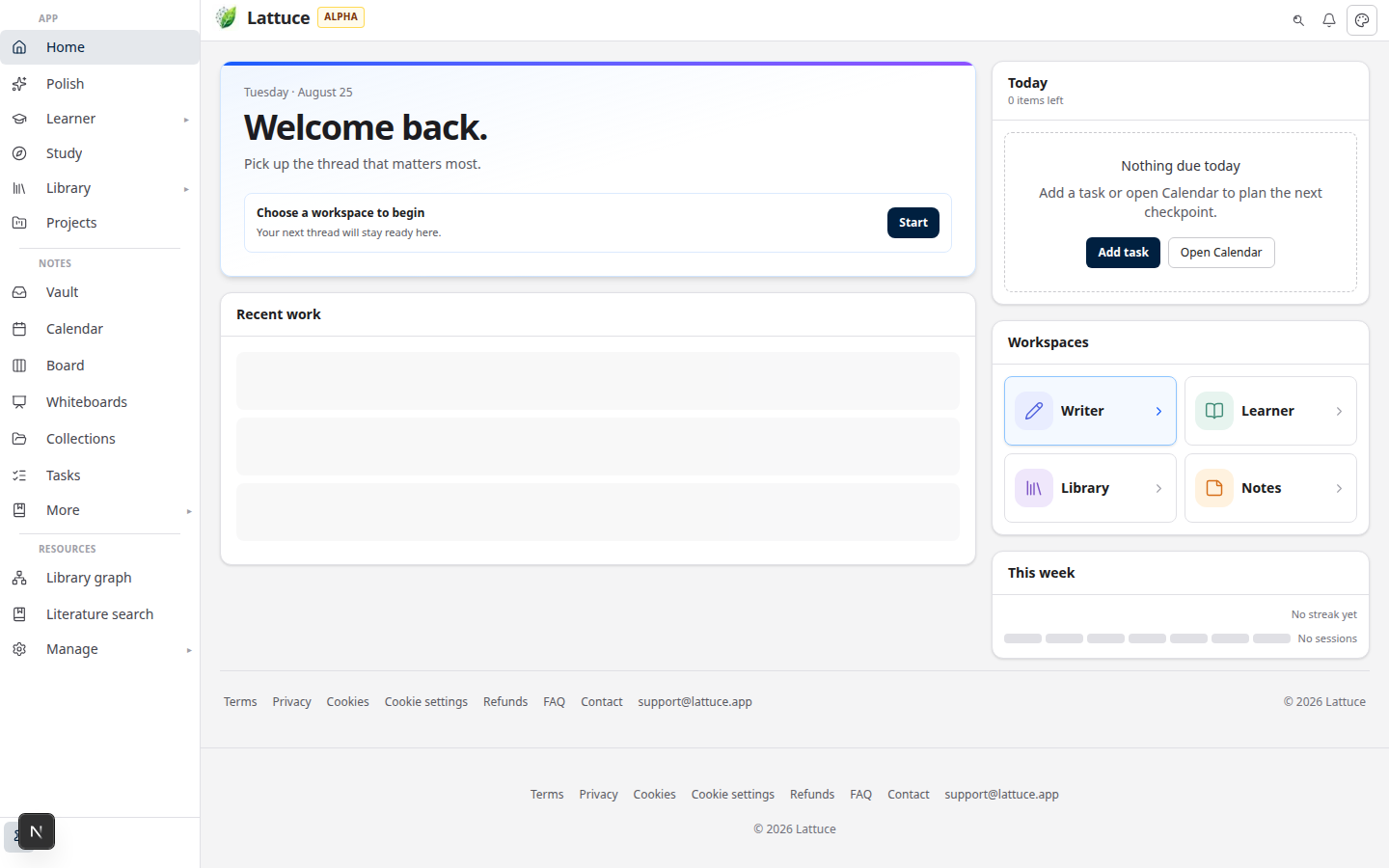
Try hub on lattuce.app — Writer, Notes, Learner, Study, and Polish demos

  1. Read the amber demo mode strip. It tells you whether edits stay in this browser only or sync to a short-lived demo session — still not a household account.
  2. You land in the compose workspace: outline, draft, and sample sources for an urban heat paper.

What you can try

Stay on the seeded paper. You are exploring how Writer looks when sources and draft share one workspace.

SurfaceWhat to notice
Sample sourcesThe left pane already lists papers attached to the urban heat draft. Open a source to see how evidence sits next to the manuscript.
OutlineSection structure for the sample paper — the same spine you would use on a real manuscript after sign-in.
ComposeA rich-text draft of the sample abstract and body. Edit a paragraph to feel the editor.
CitationsMarkers on the sample paper show how claims point at attached sources — cited drafting, not a chat transcript.

You can type, scroll sources, and switch outline sections. Clearing site data or waiting out a server demo session can reset this work.

What you cannot do as a guest

LimitDetail
Your libraryThe demo does not import or search your PDFs
Lasting saveGuest progress is sample-only and may not persist like a household
Export and missionsWord export and research missions need a signed-in paper project
CollaborationNo shared household editing in guest mode
Your own topicYou are not starting a new manuscript from a blank question

Those steps belong to a real account. The demo answers “does this workspace fit?” — not “can I finish my chapter here as a guest?”

Sign in next

Use Sign in free on the demo when you are ready to:

  • Keep papers, library, and notes across devices
  • Upload your own PDFs and Word files
  • Run a literature review and export a cited Word file

After you have an account, follow literature review with Lattuce for search → evidence → draft, then sources to DOCX for the full pipeline.

In-app setup lives in Getting started with Lattuce.

Related reading

  • Try Lattuce without signing up — Writer, Notes, Learner, Study, and Polish on one hub
  • Lattuce at lattuce.app is in alpha — what to expect today
  • Literature review with Lattuce — cited review after you sign in
  • Sources to DOCX in Lattuce — library through Word export
  • Getting started with Lattuce — in-app help once you have an account

Bahasa Melayu: Cuba demo Writer Lattuce — draf bersitasi tanpa akaun

PreviousHousehold Free vs Pro on lattuce.app — which plan fits your lab?NextNotes Live vs Read vs Split — when to use which in Lattuce

Workflow guides

  1. 1. Where you can use Lattuce today — cloud, Windows, and Android
  2. 2. Lattuce at lattuce.app is in alpha — what that means for you
  3. 3. Try Lattuce without signing up — interactive demos at lattuce.app/try
  4. 4. Leaving Lattuce cleanly — try first, delete when you need to
  5. 5. Literature review with Lattuce — from search to a cited Word file
  6. 6. Study vs Learner in Lattuce — exam prep or language learning?
  7. 7. Thesis format check in Lattuce — upload Word, fix layout, verify before you submit
  8. 8. BYOK on Lattuce — bring your own AI keys
  9. 9. Sources to DOCX in Lattuce — end-to-end manuscript workflow
  10. 10. BYOS on Lattuce — bring your own storage
  11. 11. Research missions in Lattuce — structured synthesis with evidence export
  12. 12. Use Lattuce from Cursor and Claude — your research in your IDE
  13. 13. Source Digest in Lattuce Study — audio, tables, mind maps, and flashcards
  14. 14. Workspace Ask for a household lab — grounded Q&A over your vault
  15. 15. Query canvas in Lattuce — live boards from your notes vault
  16. 16. Zotero to BibTeX in Lattuce — import, cite, and hand off bibliographies
  17. 17. Notes view layouts in Lattuce — Live, Read, and a sticky outline
  18. 18. Household admin's first week with Lattuce — checks and day-two tasks
  19. 19. Notes catalog layouts in Lattuce — Table, Board, Timeline, and saved views for your vault
  20. 20. Household billing and /pricing on Lattuce — transparent tiers for shared accounts
  21. 21. Version history in Lattuce — compare checkpoints, restore with confidence, and a three-tier workspace
  22. 22. Why Lattuce is not trying to replace Notion
  23. 23. Citation style preview in Lattuce — compare APA, MLA, Chicago, and more before you export
  24. 24. Research stack in 2026 — where Lattuce on lattuce.app sits
  25. 25. Supported citation formats in Lattuce — APA, Vancouver, Nature, and 27 more
  26. 26. Data residency for university labs in Malaysia
  27. 27. Why section approval beats realtime co-edit for academic papers
  28. 28. Research signals and feeds in Lattuce — headlines on home, sources in your library
  29. 29. Open catalogs Lattuce connects to — scholarly search, OA links, and books
  30. 30. How to export a cited thesis chapter to Word from Lattuce
  31. 31. Household Free vs Pro on lattuce.app — which plan fits your lab?
  32. You are here32. Try Lattuce Writer demo walkthrough — cited drafting without an account
  33. 33. Notes Live vs Read vs Split — when to use which in Lattuce
  34. 34. Citation styles for Malaysian universities in Lattuce Writer
  35. 35. From PDF highlight to cited paragraph in Lattuce
  36. 36. Leaving Notion pages in place — handoff checklist for Lattuce research
  37. 37. Alpha feedback — how to report useful bugs on lattuce.app

On this page

  1. Who this is for
  2. Before you start
  3. Open the Writer demo
  4. What you can try
  5. What you cannot do as a guest
  6. Sign in next
  7. Related reading

Explore Lattuce

Start writing, compare tools, or browse tutorials for your research stack.

Try LattuceTutorialsPlans

Subscribe to Workflow guides: RSS · Atom

← All posts
TermsPrivacyCookiesRefundsFAQContact[email protected]

© Lattuce

Skip to content
Blog
  1. Blog
  2. /
  3. Workflow guides
  4. /
  5. Try Lattuce Writer demo walkthrough — cited drafting without an account

April 17, 2027 · Workflow guides

Try Lattuce Writer demo walkthrough — cited drafting without an account

Try the Lattuce Writer demo without signup — sample sources, compose, then sign in when you want to save.

  • guide
  • writer
  • demo
  • citations
  • seo
LanguageEnglishBahasa Melayu

You can try Lattuce without signup in Writer. Open the compose demo, work the sample paper, and leave whenever you want — no account until you decide to save.

The Writer demo lives at lattuce.app/try/writer. You can also reach it from the Try hub under Apps. Guest sessions use sample content. Progress may not persist the way a signed-in household does.

Writer compose demo — draft with sources on lattuce.app

Who this is for

You are…Why this walkthrough helps
Evaluating Writer for a thesis or articleSee outline, draft, and sources in the real compose chrome
Comparing cited drafting toolsJudge whether Lattuce’s research-and-writing layer fits before you import a library
Coming from the Try hubGo deeper on Writer after a quick tour of Notes, Learner, Study, or Polish

This is a sample workflow, not your paper. Sign in when you want manuscripts, library, and notes to persist across devices.

Before you start

You needNotes
A browserDesktop or phone — lattuce.app
No accountThe Writer demo opens without Google sign-in

Lattuce is in alpha — the demo is real product chrome on sample data, still improving. See what alpha means.

If you want the map of every guest app first, start with try Lattuce without signing up.

Open the Writer demo

  1. Go to lattuce.app/try, or open lattuce.app/try/writer directly.
  2. From the hub, choose Writer under Apps. Use Resume if you already edited this demo in the same browser.

Try hub on lattuce.app — Writer, Notes, Learner, Study, and Polish demos

  1. Read the amber demo mode strip. It tells you whether edits stay in this browser only or sync to a short-lived demo session — still not a household account.
  2. You land in the compose workspace: outline, draft, and sample sources for an urban heat paper.

What you can try

Stay on the seeded paper. You are exploring how Writer looks when sources and draft share one workspace.

SurfaceWhat to notice
Sample sourcesThe left pane already lists papers attached to the urban heat draft. Open a source to see how evidence sits next to the manuscript.
OutlineSection structure for the sample paper — the same spine you would use on a real manuscript after sign-in.
ComposeA rich-text draft of the sample abstract and body. Edit a paragraph to feel the editor.
CitationsMarkers on the sample paper show how claims point at attached sources — cited drafting, not a chat transcript.

You can type, scroll sources, and switch outline sections. Clearing site data or waiting out a server demo session can reset this work.

What you cannot do as a guest

LimitDetail
Your libraryThe demo does not import or search your PDFs
Lasting saveGuest progress is sample-only and may not persist like a household
Export and missionsWord export and research missions need a signed-in paper project
CollaborationNo shared household editing in guest mode
Your own topicYou are not starting a new manuscript from a blank question

Those steps belong to a real account. The demo answers “does this workspace fit?” — not “can I finish my chapter here as a guest?”

Sign in next

Use Sign in free on the demo when you are ready to:

  • Keep papers, library, and notes across devices
  • Upload your own PDFs and Word files
  • Run a literature review and export a cited Word file

After you have an account, follow literature review with Lattuce for search → evidence → draft, then sources to DOCX for the full pipeline.

In-app setup lives in Getting started with Lattuce.

Related reading

  • Try Lattuce without signing up — Writer, Notes, Learner, Study, and Polish on one hub
  • Lattuce at lattuce.app is in alpha — what to expect today
  • Literature review with Lattuce — cited review after you sign in
  • Sources to DOCX in Lattuce — library through Word export
  • Getting started with Lattuce — in-app help once you have an account

Bahasa Melayu: Cuba demo Writer Lattuce — draf bersitasi tanpa akaun

PreviousHousehold Free vs Pro on lattuce.app — which plan fits your lab?NextNotes Live vs Read vs Split — when to use which in Lattuce

Workflow guides

  1. 1. Where you can use Lattuce today — cloud, Windows, and Android
  2. 2. Lattuce at lattuce.app is in alpha — what that means for you
  3. 3. Try Lattuce without signing up — interactive demos at lattuce.app/try
  4. 4. Leaving Lattuce cleanly — try first, delete when you need to
  5. 5. Literature review with Lattuce — from search to a cited Word file
  6. 6. Study vs Learner in Lattuce — exam prep or language learning?
  7. 7. Thesis format check in Lattuce — upload Word, fix layout, verify before you submit
  8. 8. BYOK on Lattuce — bring your own AI keys
  9. 9. Sources to DOCX in Lattuce — end-to-end manuscript workflow
  10. 10. BYOS on Lattuce — bring your own storage
  11. 11. Research missions in Lattuce — structured synthesis with evidence export
  12. 12. Use Lattuce from Cursor and Claude — your research in your IDE
  13. 13. Source Digest in Lattuce Study — audio, tables, mind maps, and flashcards
  14. 14. Workspace Ask for a household lab — grounded Q&A over your vault
  15. 15. Query canvas in Lattuce — live boards from your notes vault
  16. 16. Zotero to BibTeX in Lattuce — import, cite, and hand off bibliographies
  17. 17. Notes view layouts in Lattuce — Live, Read, and a sticky outline
  18. 18. Household admin's first week with Lattuce — checks and day-two tasks
  19. 19. Notes catalog layouts in Lattuce — Table, Board, Timeline, and saved views for your vault
  20. 20. Household billing and /pricing on Lattuce — transparent tiers for shared accounts
  21. 21. Version history in Lattuce — compare checkpoints, restore with confidence, and a three-tier workspace
  22. 22. Why Lattuce is not trying to replace Notion
  23. 23. Citation style preview in Lattuce — compare APA, MLA, Chicago, and more before you export
  24. 24. Research stack in 2026 — where Lattuce on lattuce.app sits
  25. 25. Supported citation formats in Lattuce — APA, Vancouver, Nature, and 27 more
  26. 26. Data residency for university labs in Malaysia
  27. 27. Why section approval beats realtime co-edit for academic papers
  28. 28. Research signals and feeds in Lattuce — headlines on home, sources in your library
  29. 29. Open catalogs Lattuce connects to — scholarly search, OA links, and books
  30. 30. How to export a cited thesis chapter to Word from Lattuce
  31. 31. Household Free vs Pro on lattuce.app — which plan fits your lab?
  32. You are here32. Try Lattuce Writer demo walkthrough — cited drafting without an account
  33. 33. Notes Live vs Read vs Split — when to use which in Lattuce
  34. 34. Citation styles for Malaysian universities in Lattuce Writer
  35. 35. From PDF highlight to cited paragraph in Lattuce
  36. 36. Leaving Notion pages in place — handoff checklist for Lattuce research
  37. 37. Alpha feedback — how to report useful bugs on lattuce.app

On this page

  1. Who this is for
  2. Before you start
  3. Open the Writer demo
  4. What you can try
  5. What you cannot do as a guest
  6. Sign in next
  7. Related reading

Explore Lattuce

Start writing, compare tools, or browse tutorials for your research stack.

Try LattuceTutorialsPlans

Subscribe to Workflow guides: RSS · Atom

← All posts
TermsPrivacyCookiesRefundsFAQContact[email protected]

© Lattuce