Loading home
Loading home
Skip to content
Blog
  1. Blog
  2. /
  3. Workflow guides
  4. /
  5. Leaving Lattuce cleanly — try first, delete when you need to

August 20, 2026 · Workflow guides

Leaving Lattuce cleanly — try first, delete when you need to

Try Lattuce without an account. During alpha, self-serve deletion removes your notes and manuscripts; open-access references may remain in the catalog.

  • guide
  • privacy
  • account
  • alpha

Try Lattuce before you commit to an account. If you sign up during alpha and it is not the right fit, you should not have to feel stuck here.

What follows is what account deletion actually does.
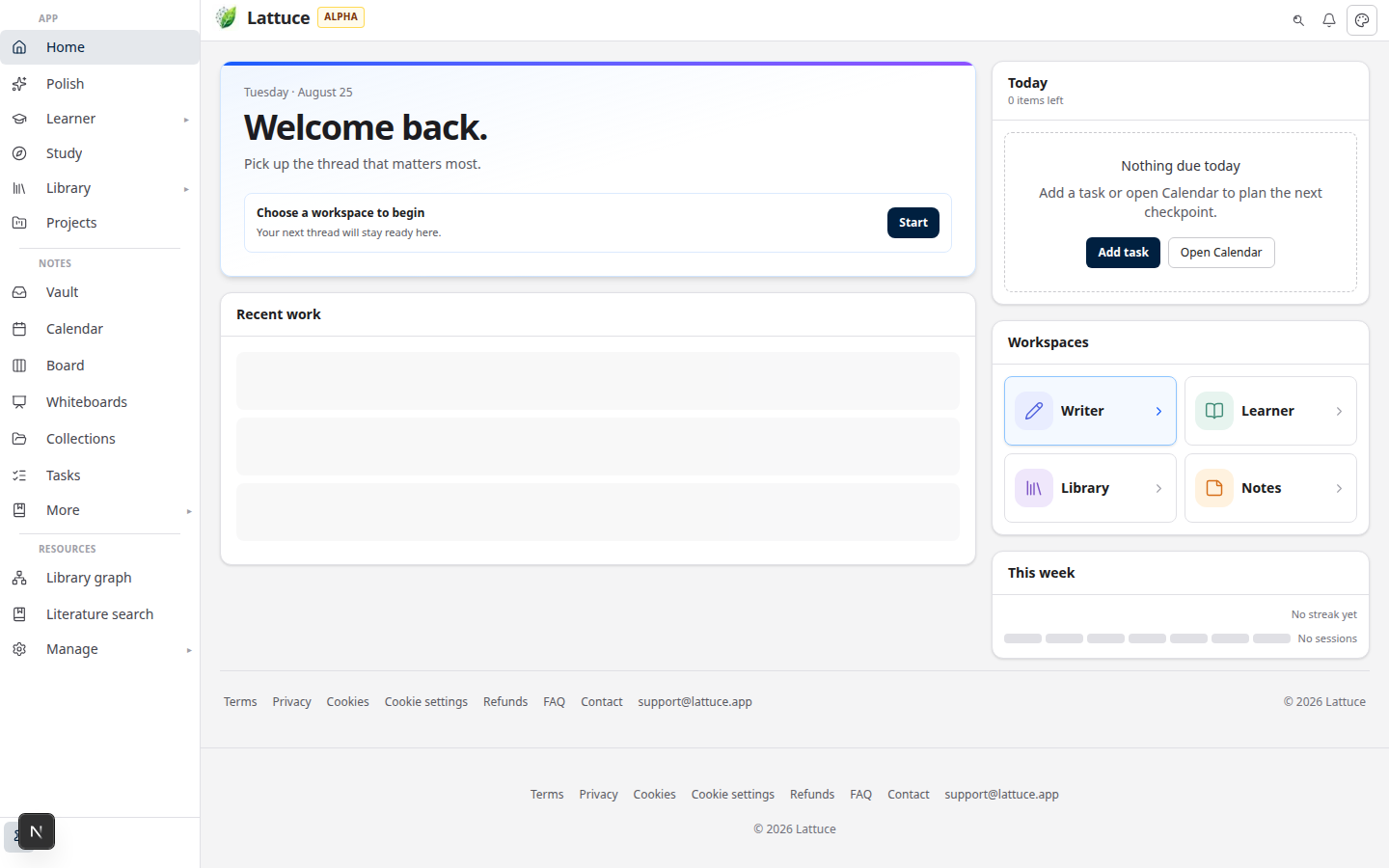
Lattuce Try hub on lattuce.app — explore before sign-in

Who this is for

You are…Why this matters
Comparing tools during alphaYou can open lattuce.app/try with no account, then decide whether to sign up
Signed up and imported workYou can remove your content without emailing support
Sharing a household loginRead the household note below before deleting

If you have not signed up yet, start with Try Lattuce without signing up — demos use sample content, not your thesis.

Try before you sign up

Open the Try hub to explore Writer, Notes, Learner, Study, and Polish with seeded content. Demo edits may stay in the browser or a short-lived demo session — they are not your permanent account.

Sign in when you want papers, notes, and progress to persist across devices.

Delete your account in Settings

  1. Open Account settings.
  2. Scroll to Data & account.
  3. Review what is removed vs kept (see table below).
  4. Cancel a paid plan from Billing settings if you subscribe — deletion does not replace subscription cancellation.
  5. Type your account email or DELETE, then confirm.

Deletion is immediate for sign-in: we disable the account, revoke sessions, and purge your private content.

What we remove

ContentOn delete
Notes and vault foldersRemoved
Manuscripts / papersRemoved
Private PDF uploads and personal sourcesRemoved
Connected Google / GitLab tokensRevoked
Device tokens for Notes syncRevoked

What may remain

ContentWhy
Open-access bibliography metadataShared catalog entries (oa_status=open) may stay so other researchers keep public reference links
Platform corpus sourcesCatalog entries not tied to your private uploads
Learner library & progressKept by default — opt in on the delete screen if you want those removed too
Billing & tax recordsRetained per our privacy policy

We anonymize your account row (email and display name cleared) so the address can be reused later if you return.

Household accounts

If your household has other members and you are the only owner, transfer ownership or remove members before deleting. Otherwise deletion is blocked to avoid leaving others without an owner.

Solo households can delete without that step.

Email fallback

For edge cases (locked out, compliance requests), email us via the contact page — choose Privacy & data rights. Self-serve deletion in Settings is the default path.

Related reading

  • Try Lattuce without signing up
  • What alpha means
  • Privacy policy — retention
  • FAQ — delete account
PreviousTry Lattuce without signing up — interactive demos at lattuce.app/tryNextLiterature review with Lattuce — from search to a cited Word file

Workflow guides

  1. 1. Where you can use Lattuce today — cloud, Windows, and Android
  2. 2. Lattuce at lattuce.app is in alpha — what that means for you
  3. 3. Try Lattuce without signing up — interactive demos at lattuce.app/try
  4. You are here4. Leaving Lattuce cleanly — try first, delete when you need to
  5. 5. Literature review with Lattuce — from search to a cited Word file
  6. 6. Study vs Learner in Lattuce — exam prep or language learning?
  7. 7. Thesis format check in Lattuce — upload Word, fix layout, verify before you submit
  8. 8. BYOK on Lattuce — bring your own AI keys
  9. 9. Sources to DOCX in Lattuce — end-to-end manuscript workflow
  10. 10. BYOS on Lattuce — bring your own storage
  11. 11. Research missions in Lattuce — structured synthesis with evidence export
  12. 12. Use Lattuce from Cursor and Claude — your research in your IDE
  13. 13. Source Digest in Lattuce Study — audio, tables, mind maps, and flashcards
  14. 14. Workspace Ask for a household lab — grounded Q&A over your vault
  15. 15. Query canvas in Lattuce — live boards from your notes vault
  16. 16. Zotero to BibTeX in Lattuce — import, cite, and hand off bibliographies
  17. 17. Notes view layouts in Lattuce — Live, Read, and a sticky outline
  18. 18. Household admin's first week with Lattuce — checks and day-two tasks
  19. 19. Notes catalog layouts in Lattuce — Table, Board, Timeline, and saved views for your vault
  20. 20. Household billing and /pricing on Lattuce — transparent tiers for shared accounts
  21. 21. Version history in Lattuce — compare checkpoints, restore with confidence, and a three-tier workspace
  22. 22. Why Lattuce is not trying to replace Notion
  23. 23. Citation style preview in Lattuce — compare APA, MLA, Chicago, and more before you export
  24. 24. Research stack in 2026 — where Lattuce on lattuce.app sits
  25. 25. Supported citation formats in Lattuce — APA, Vancouver, Nature, and 27 more
  26. 26. Data residency for university labs in Malaysia
  27. 27. Why section approval beats realtime co-edit for academic papers
  28. 28. Research signals and feeds in Lattuce — headlines on home, sources in your library
  29. 29. Open catalogs Lattuce connects to — scholarly search, OA links, and books
  30. 30. How to export a cited thesis chapter to Word from Lattuce
  31. 31. Household Free vs Pro on lattuce.app — which plan fits your lab?
  32. 32. Try Lattuce Writer demo walkthrough — cited drafting without an account
  33. 33. Notes Live vs Read vs Split — when to use which in Lattuce
  34. 34. Citation styles for Malaysian universities in Lattuce Writer
  35. 35. From PDF highlight to cited paragraph in Lattuce
  36. 36. Leaving Notion pages in place — handoff checklist for Lattuce research
  37. 37. Alpha feedback — how to report useful bugs on lattuce.app

On this page

  1. Who this is for
  2. Try before you sign up
  3. Delete your account in Settings
  4. What we remove
  5. What may remain
  6. Household accounts
  7. Email fallback
  8. Related reading

Explore Lattuce

Start writing, compare tools, or browse tutorials for your research stack.

Try LattuceTutorialsPlans

Subscribe to Workflow guides: RSS · Atom

← All posts
TermsPrivacyCookiesRefundsFAQContact[email protected]

© Lattuce

Skip to content
Blog
  1. Blog
  2. /
  3. Workflow guides
  4. /
  5. Leaving Lattuce cleanly — try first, delete when you need to

August 20, 2026 · Workflow guides

Leaving Lattuce cleanly — try first, delete when you need to

Try Lattuce without an account. During alpha, self-serve deletion removes your notes and manuscripts; open-access references may remain in the catalog.

  • guide
  • privacy
  • account
  • alpha

Try Lattuce before you commit to an account. If you sign up during alpha and it is not the right fit, you should not have to feel stuck here.

What follows is what account deletion actually does.

Lattuce Try hub on lattuce.app — explore before sign-in

Who this is for

You are…Why this matters
Comparing tools during alphaYou can open lattuce.app/try with no account, then decide whether to sign up
Signed up and imported workYou can remove your content without emailing support
Sharing a household loginRead the household note below before deleting

If you have not signed up yet, start with Try Lattuce without signing up — demos use sample content, not your thesis.

Try before you sign up

Open the Try hub to explore Writer, Notes, Learner, Study, and Polish with seeded content. Demo edits may stay in the browser or a short-lived demo session — they are not your permanent account.

Sign in when you want papers, notes, and progress to persist across devices.

Delete your account in Settings

  1. Open Account settings.
  2. Scroll to Data & account.
  3. Review what is removed vs kept (see table below).
  4. Cancel a paid plan from Billing settings if you subscribe — deletion does not replace subscription cancellation.
  5. Type your account email or DELETE, then confirm.

Deletion is immediate for sign-in: we disable the account, revoke sessions, and purge your private content.

What we remove

ContentOn delete
Notes and vault foldersRemoved
Manuscripts / papersRemoved
Private PDF uploads and personal sourcesRemoved
Connected Google / GitLab tokensRevoked
Device tokens for Notes syncRevoked

What may remain

ContentWhy
Open-access bibliography metadataShared catalog entries (oa_status=open) may stay so other researchers keep public reference links
Platform corpus sourcesCatalog entries not tied to your private uploads
Learner library & progressKept by default — opt in on the delete screen if you want those removed too
Billing & tax recordsRetained per our privacy policy

We anonymize your account row (email and display name cleared) so the address can be reused later if you return.

Household accounts

If your household has other members and you are the only owner, transfer ownership or remove members before deleting. Otherwise deletion is blocked to avoid leaving others without an owner.

Solo households can delete without that step.

Email fallback

For edge cases (locked out, compliance requests), email us via the contact page — choose Privacy & data rights. Self-serve deletion in Settings is the default path.

Related reading

  • Try Lattuce without signing up
  • What alpha means
  • Privacy policy — retention
  • FAQ — delete account
PreviousTry Lattuce without signing up — interactive demos at lattuce.app/tryNextLiterature review with Lattuce — from search to a cited Word file

Workflow guides

  1. 1. Where you can use Lattuce today — cloud, Windows, and Android
  2. 2. Lattuce at lattuce.app is in alpha — what that means for you
  3. 3. Try Lattuce without signing up — interactive demos at lattuce.app/try
  4. You are here4. Leaving Lattuce cleanly — try first, delete when you need to
  5. 5. Literature review with Lattuce — from search to a cited Word file
  6. 6. Study vs Learner in Lattuce — exam prep or language learning?
  7. 7. Thesis format check in Lattuce — upload Word, fix layout, verify before you submit
  8. 8. BYOK on Lattuce — bring your own AI keys
  9. 9. Sources to DOCX in Lattuce — end-to-end manuscript workflow
  10. 10. BYOS on Lattuce — bring your own storage
  11. 11. Research missions in Lattuce — structured synthesis with evidence export
  12. 12. Use Lattuce from Cursor and Claude — your research in your IDE
  13. 13. Source Digest in Lattuce Study — audio, tables, mind maps, and flashcards
  14. 14. Workspace Ask for a household lab — grounded Q&A over your vault
  15. 15. Query canvas in Lattuce — live boards from your notes vault
  16. 16. Zotero to BibTeX in Lattuce — import, cite, and hand off bibliographies
  17. 17. Notes view layouts in Lattuce — Live, Read, and a sticky outline
  18. 18. Household admin's first week with Lattuce — checks and day-two tasks
  19. 19. Notes catalog layouts in Lattuce — Table, Board, Timeline, and saved views for your vault
  20. 20. Household billing and /pricing on Lattuce — transparent tiers for shared accounts
  21. 21. Version history in Lattuce — compare checkpoints, restore with confidence, and a three-tier workspace
  22. 22. Why Lattuce is not trying to replace Notion
  23. 23. Citation style preview in Lattuce — compare APA, MLA, Chicago, and more before you export
  24. 24. Research stack in 2026 — where Lattuce on lattuce.app sits
  25. 25. Supported citation formats in Lattuce — APA, Vancouver, Nature, and 27 more
  26. 26. Data residency for university labs in Malaysia
  27. 27. Why section approval beats realtime co-edit for academic papers
  28. 28. Research signals and feeds in Lattuce — headlines on home, sources in your library
  29. 29. Open catalogs Lattuce connects to — scholarly search, OA links, and books
  30. 30. How to export a cited thesis chapter to Word from Lattuce
  31. 31. Household Free vs Pro on lattuce.app — which plan fits your lab?
  32. 32. Try Lattuce Writer demo walkthrough — cited drafting without an account
  33. 33. Notes Live vs Read vs Split — when to use which in Lattuce
  34. 34. Citation styles for Malaysian universities in Lattuce Writer
  35. 35. From PDF highlight to cited paragraph in Lattuce
  36. 36. Leaving Notion pages in place — handoff checklist for Lattuce research
  37. 37. Alpha feedback — how to report useful bugs on lattuce.app

On this page

  1. Who this is for
  2. Try before you sign up
  3. Delete your account in Settings
  4. What we remove
  5. What may remain
  6. Household accounts
  7. Email fallback
  8. Related reading

Explore Lattuce

Start writing, compare tools, or browse tutorials for your research stack.

Try LattuceTutorialsPlans

Subscribe to Workflow guides: RSS · Atom

← All posts
TermsPrivacyCookiesRefundsFAQContact[email protected]

© Lattuce