Loading home
Loading home
Skip to content
Blog
  1. Blog
  2. /
  3. Workflow guides
  4. /
  5. BYOS on Lattuce — bring your own storage

September 9, 2026 · Workflow guides

BYOS on Lattuce — bring your own storage

How Bring Your Own Storage works on Lattuce — cloud vault today, optional Drive and S3 blobs, and planned desktop sync options.

  • guide
  • byos
  • cloud
  • storage
  • seo
LanguageEnglishBahasa Melayu

Bring Your Own Storage (BYOS) means attaching storage you control — Google Drive, S3-compatible buckets, or related backends — to your Lattuce cloud account so PDFs and blobs follow your residency preferences.

Today, most households keep notes and papers in the managed vault on lattuce.app. BYOS is the path for labs that need attached object storage. Running a full private Lattuce server is not available yet — see cloud availability.
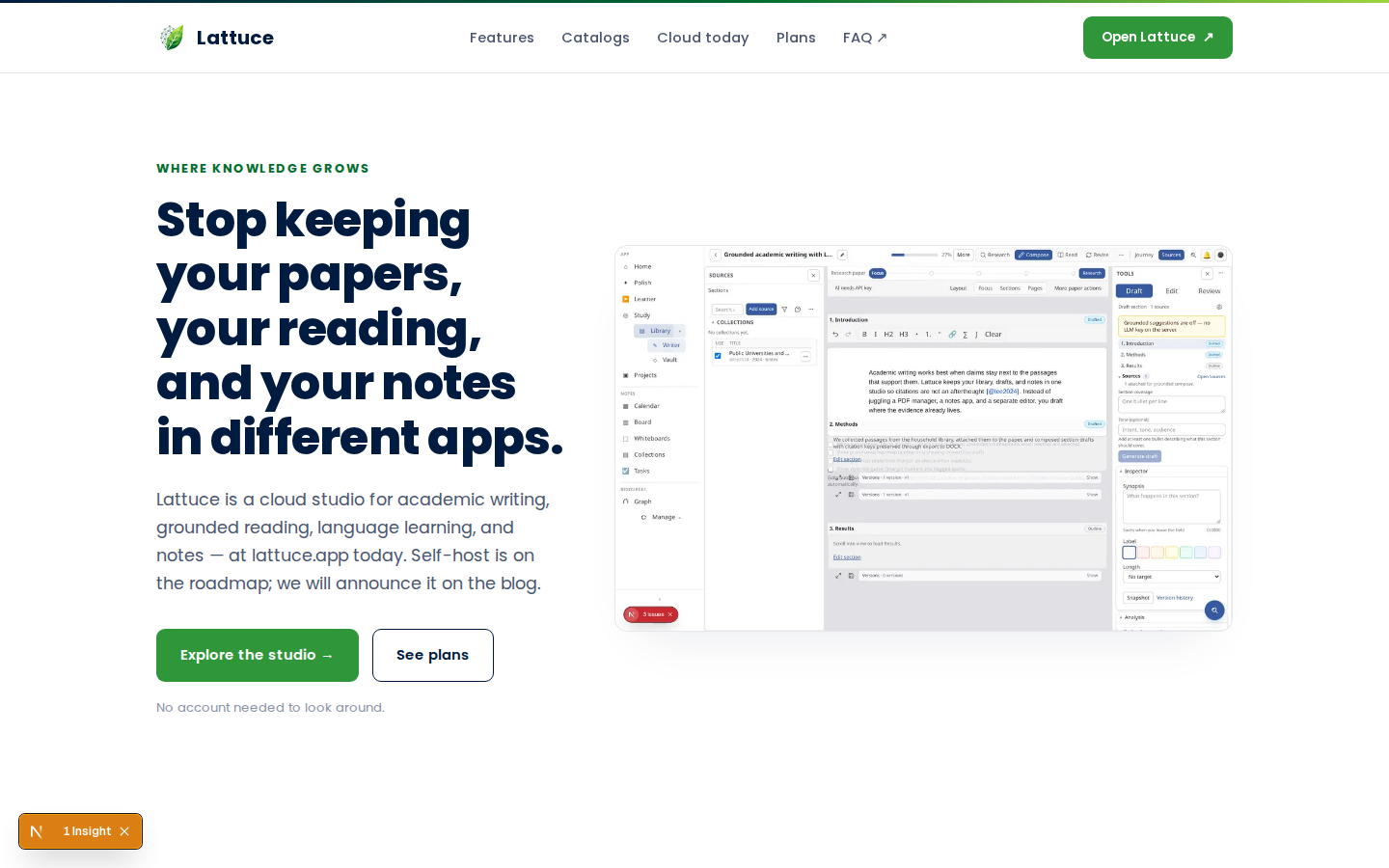
Lattuce on lattuce.app — cloud research workspace

For LLM provider choice, see the companion BYOK guide.

Who this is for

You are…Why BYOS helps
Lab with Drive or S3 alreadyKeep large PDF blobs under existing storage policy
Household on lattuce.appDefault managed vault is enough until you need attached backends
Planning hybrid desktop syncWatch for Windows/Android offline vaults with optional cloud connect

What BYOS answers

BYOS answers: Where do my source files and attachments live?

LayerToday on lattuce.app
Account vaultNotes, paper metadata, and library records in your cloud household
Blob backends (when enabled)Drive or S3-compatible object stores for file bytes
Desktop / mobileOffline vault apps with optional connect to Lattuce Cloud (roadmap)

BYOK and BYOS are independent. You can use managed cloud storage with your own AI keys, or attach blob backends when your plan and settings allow.

Modes at a glance

ModeWhat it meansStatus
Lattuce Cloud vaultManaged storage on lattuce.appAvailable now
Attached Drive / S3 blobsObject storage linked for library filesRolling out by plan
Private server installRun the whole product on your hardwareNot available yet

What makes Lattuce different

Storage choice alone is table stakes. Lattuce is a cloud research-and-writing layer at lattuce.app — PDF library, citation checks, section approval → Word, collaborative translation — not a sync folder with markdown.

Compared to local PKM (Obsidian)

Obsidian keeps files on your device with a deep plugin ecosystem. Lattuce adds an integrated academic pipeline without assembling plugins. See Obsidian vs Lattuce.

Compared to team wikis (Notion)

Notion wins org-wide wiki and realtime co-edit. Lattuce complements Notion when the deliverable is a paper or thesis you write at lattuce.app. See Using Lattuce alongside Notion.

Getting started

  1. Sign in at lattuce.app and use the managed vault.
  2. When blob backends are enabled for your account, connect Drive or S3 under settings (help).
  3. Add BYOK if you want your own model keys.

Bottom line

BYOS is about where file bytes live under your cloud account — not about installing Lattuce on a private server today. Start on lattuce.app; attach Drive or S3 when you need them; we will announce if a private install option ships later.

Bahasa Melayu: BYOS pada Lattuce (MS).

PreviousSources to DOCX in Lattuce — end-to-end manuscript workflowNextResearch missions in Lattuce — structured synthesis with evidence export

Workflow guides

  1. 1. Where you can use Lattuce today — cloud, Windows, and Android
  2. 2. Lattuce at lattuce.app is in alpha — what that means for you
  3. 3. Try Lattuce without signing up — interactive demos at lattuce.app/try
  4. 4. Leaving Lattuce cleanly — try first, delete when you need to
  5. 5. Literature review with Lattuce — from search to a cited Word file
  6. 6. Study vs Learner in Lattuce — exam prep or language learning?
  7. 7. Thesis format check in Lattuce — upload Word, fix layout, verify before you submit
  8. 8. BYOK on Lattuce — bring your own AI keys
  9. 9. Sources to DOCX in Lattuce — end-to-end manuscript workflow
  10. You are here10. BYOS on Lattuce — bring your own storage
  11. 11. Research missions in Lattuce — structured synthesis with evidence export
  12. 12. Use Lattuce from Cursor and Claude — your research in your IDE
  13. 13. Source Digest in Lattuce Study — audio, tables, mind maps, and flashcards
  14. 14. Workspace Ask for a household lab — grounded Q&A over your vault
  15. 15. Query canvas in Lattuce — live boards from your notes vault
  16. 16. Zotero to BibTeX in Lattuce — import, cite, and hand off bibliographies
  17. 17. Notes view layouts in Lattuce — Live, Read, and a sticky outline
  18. 18. Household admin's first week with Lattuce — checks and day-two tasks
  19. 19. Notes catalog layouts in Lattuce — Table, Board, Timeline, and saved views for your vault
  20. 20. Household billing and /pricing on Lattuce — transparent tiers for shared accounts
  21. 21. Version history in Lattuce — compare checkpoints, restore with confidence, and a three-tier workspace
  22. 22. Why Lattuce is not trying to replace Notion
  23. 23. Citation style preview in Lattuce — compare APA, MLA, Chicago, and more before you export
  24. 24. Research stack in 2026 — where Lattuce on lattuce.app sits
  25. 25. Supported citation formats in Lattuce — APA, Vancouver, Nature, and 27 more
  26. 26. Data residency for university labs in Malaysia
  27. 27. Why section approval beats realtime co-edit for academic papers
  28. 28. Research signals and feeds in Lattuce — headlines on home, sources in your library
  29. 29. Open catalogs Lattuce connects to — scholarly search, OA links, and books
  30. 30. How to export a cited thesis chapter to Word from Lattuce
  31. 31. Household Free vs Pro on lattuce.app — which plan fits your lab?
  32. 32. Try Lattuce Writer demo walkthrough — cited drafting without an account
  33. 33. Notes Live vs Read vs Split — when to use which in Lattuce
  34. 34. Citation styles for Malaysian universities in Lattuce Writer
  35. 35. From PDF highlight to cited paragraph in Lattuce
  36. 36. Leaving Notion pages in place — handoff checklist for Lattuce research
  37. 37. Alpha feedback — how to report useful bugs on lattuce.app

On this page

  1. Who this is for
  2. What BYOS answers
  3. Modes at a glance
  4. What makes Lattuce different
  5. Compared to local PKM (Obsidian)
  6. Compared to team wikis (Notion)
  7. Getting started
  8. Bottom line

Explore Lattuce

Start writing, compare tools, or browse tutorials for your research stack.

Try LattuceTutorialsPlans

Subscribe to Workflow guides: RSS · Atom

← All posts
TermsPrivacyCookiesRefundsFAQContact[email protected]

© Lattuce

Skip to content
Blog
  1. Blog
  2. /
  3. Workflow guides
  4. /
  5. BYOS on Lattuce — bring your own storage

September 9, 2026 · Workflow guides

BYOS on Lattuce — bring your own storage

How Bring Your Own Storage works on Lattuce — cloud vault today, optional Drive and S3 blobs, and planned desktop sync options.

  • guide
  • byos
  • cloud
  • storage
  • seo
LanguageEnglishBahasa Melayu

Bring Your Own Storage (BYOS) means attaching storage you control — Google Drive, S3-compatible buckets, or related backends — to your Lattuce cloud account so PDFs and blobs follow your residency preferences.

Today, most households keep notes and papers in the managed vault on lattuce.app. BYOS is the path for labs that need attached object storage. Running a full private Lattuce server is not available yet — see cloud availability.

Lattuce on lattuce.app — cloud research workspace

For LLM provider choice, see the companion BYOK guide.

Who this is for

You are…Why BYOS helps
Lab with Drive or S3 alreadyKeep large PDF blobs under existing storage policy
Household on lattuce.appDefault managed vault is enough until you need attached backends
Planning hybrid desktop syncWatch for Windows/Android offline vaults with optional cloud connect

What BYOS answers

BYOS answers: Where do my source files and attachments live?

LayerToday on lattuce.app
Account vaultNotes, paper metadata, and library records in your cloud household
Blob backends (when enabled)Drive or S3-compatible object stores for file bytes
Desktop / mobileOffline vault apps with optional connect to Lattuce Cloud (roadmap)

BYOK and BYOS are independent. You can use managed cloud storage with your own AI keys, or attach blob backends when your plan and settings allow.

Modes at a glance

ModeWhat it meansStatus
Lattuce Cloud vaultManaged storage on lattuce.appAvailable now
Attached Drive / S3 blobsObject storage linked for library filesRolling out by plan
Private server installRun the whole product on your hardwareNot available yet

What makes Lattuce different

Storage choice alone is table stakes. Lattuce is a cloud research-and-writing layer at lattuce.app — PDF library, citation checks, section approval → Word, collaborative translation — not a sync folder with markdown.

Compared to local PKM (Obsidian)

Obsidian keeps files on your device with a deep plugin ecosystem. Lattuce adds an integrated academic pipeline without assembling plugins. See Obsidian vs Lattuce.

Compared to team wikis (Notion)

Notion wins org-wide wiki and realtime co-edit. Lattuce complements Notion when the deliverable is a paper or thesis you write at lattuce.app. See Using Lattuce alongside Notion.

Getting started

  1. Sign in at lattuce.app and use the managed vault.
  2. When blob backends are enabled for your account, connect Drive or S3 under settings (help).
  3. Add BYOK if you want your own model keys.

Bottom line

BYOS is about where file bytes live under your cloud account — not about installing Lattuce on a private server today. Start on lattuce.app; attach Drive or S3 when you need them; we will announce if a private install option ships later.

Bahasa Melayu: BYOS pada Lattuce (MS).

PreviousSources to DOCX in Lattuce — end-to-end manuscript workflowNextResearch missions in Lattuce — structured synthesis with evidence export

Workflow guides

  1. 1. Where you can use Lattuce today — cloud, Windows, and Android
  2. 2. Lattuce at lattuce.app is in alpha — what that means for you
  3. 3. Try Lattuce without signing up — interactive demos at lattuce.app/try
  4. 4. Leaving Lattuce cleanly — try first, delete when you need to
  5. 5. Literature review with Lattuce — from search to a cited Word file
  6. 6. Study vs Learner in Lattuce — exam prep or language learning?
  7. 7. Thesis format check in Lattuce — upload Word, fix layout, verify before you submit
  8. 8. BYOK on Lattuce — bring your own AI keys
  9. 9. Sources to DOCX in Lattuce — end-to-end manuscript workflow
  10. You are here10. BYOS on Lattuce — bring your own storage
  11. 11. Research missions in Lattuce — structured synthesis with evidence export
  12. 12. Use Lattuce from Cursor and Claude — your research in your IDE
  13. 13. Source Digest in Lattuce Study — audio, tables, mind maps, and flashcards
  14. 14. Workspace Ask for a household lab — grounded Q&A over your vault
  15. 15. Query canvas in Lattuce — live boards from your notes vault
  16. 16. Zotero to BibTeX in Lattuce — import, cite, and hand off bibliographies
  17. 17. Notes view layouts in Lattuce — Live, Read, and a sticky outline
  18. 18. Household admin's first week with Lattuce — checks and day-two tasks
  19. 19. Notes catalog layouts in Lattuce — Table, Board, Timeline, and saved views for your vault
  20. 20. Household billing and /pricing on Lattuce — transparent tiers for shared accounts
  21. 21. Version history in Lattuce — compare checkpoints, restore with confidence, and a three-tier workspace
  22. 22. Why Lattuce is not trying to replace Notion
  23. 23. Citation style preview in Lattuce — compare APA, MLA, Chicago, and more before you export
  24. 24. Research stack in 2026 — where Lattuce on lattuce.app sits
  25. 25. Supported citation formats in Lattuce — APA, Vancouver, Nature, and 27 more
  26. 26. Data residency for university labs in Malaysia
  27. 27. Why section approval beats realtime co-edit for academic papers
  28. 28. Research signals and feeds in Lattuce — headlines on home, sources in your library
  29. 29. Open catalogs Lattuce connects to — scholarly search, OA links, and books
  30. 30. How to export a cited thesis chapter to Word from Lattuce
  31. 31. Household Free vs Pro on lattuce.app — which plan fits your lab?
  32. 32. Try Lattuce Writer demo walkthrough — cited drafting without an account
  33. 33. Notes Live vs Read vs Split — when to use which in Lattuce
  34. 34. Citation styles for Malaysian universities in Lattuce Writer
  35. 35. From PDF highlight to cited paragraph in Lattuce
  36. 36. Leaving Notion pages in place — handoff checklist for Lattuce research
  37. 37. Alpha feedback — how to report useful bugs on lattuce.app

On this page

  1. Who this is for
  2. What BYOS answers
  3. Modes at a glance
  4. What makes Lattuce different
  5. Compared to local PKM (Obsidian)
  6. Compared to team wikis (Notion)
  7. Getting started
  8. Bottom line

Explore Lattuce

Start writing, compare tools, or browse tutorials for your research stack.

Try LattuceTutorialsPlans

Subscribe to Workflow guides: RSS · Atom

← All posts
TermsPrivacyCookiesRefundsFAQContact[email protected]

© Lattuce