Typst.app and Overleaf vs Lattuce — typesetting clouds or grounded Word export?
Typst.app and Overleaf win real-time compile and journal templates. Lattuce wins TipTap compose, citation verification, and DOCX-first export.
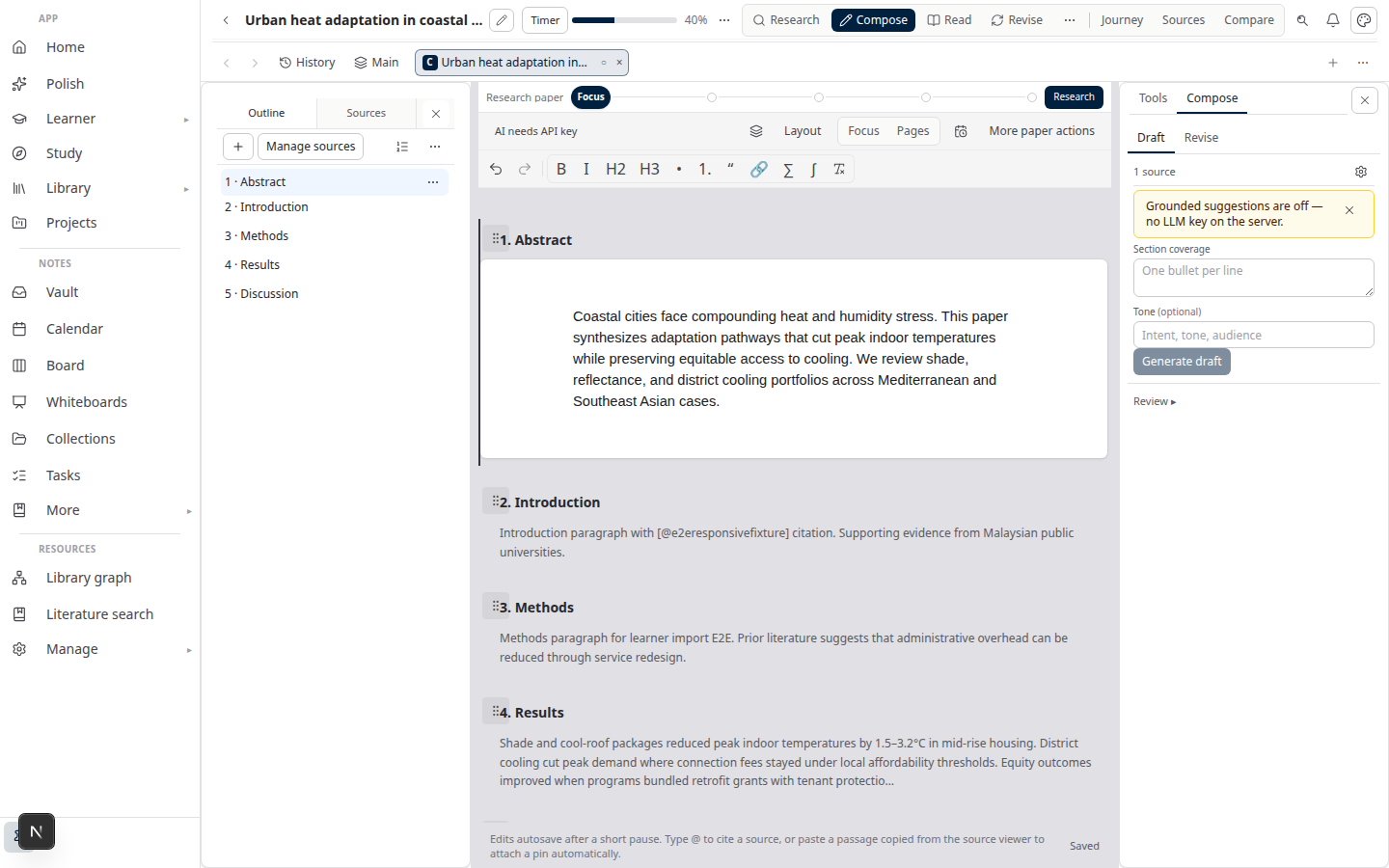
Typst.app is a Typst typesetting cloud — live compile, a modern markup language, and a growing template set. Overleaf is the LaTeX collaboration standard — real-time co-editing, journal class files, and a compiler most STEM labs already trust. Lattuce at lattuce.app is a research-and-writing workspace: TipTap drafts, citation checks against your PDF library, section approval, and Word-first export.
LaTeX and Typst leave Lattuce as outputs, not the page you type on. This post extends Overleaf vs Lattuce by putting Typst.app in the same typesetting-cloud choice.
In short: use Typst.app or Overleaf when the manuscript is typeset source. Use Lattuce when the job is a grounded draft that becomes cited Word — and you can still export Typst or LaTeX later.
Quick comparison
| Typst.app | Overleaf | Lattuce | |
|---|---|---|---|
| Core job | Live Typst typesetting | Collaborative LaTeX | Research + Word export at lattuce.app |
| Writing model | Typst source + preview | LaTeX source + compile | TipTap rich text; Typst/LaTeX as export |
| Real-time compile | Strong Typst preview | Strong LaTeX compiler | Not the primary canvas |
| Real-time co-edit | Shared Typst projects | Mature LaTeX co-authoring | Household sharing; section approval |
| Journal templates | Growing Typst gallery | Large publisher gallery | Word export; no journal-class editor |
| Citations | In-source Typst / bibliography | BibTeX / biblatex | Cite chips + checks against your PDFs |
| Source library | Project files | Project files | Built-in PDF library and reader |
| Literature review | External tools | External tools | Missions and synthesis in the product |
| Export | Typst → PDF | LaTeX → PDF | DOCX-first; Typst/LaTeX/PDF as outputs |
| Review model | Comments on source | Comments on source | Section approval before export |
| Translation | External | External | Collaborative translation for papers |
| Where it runs | Typst cloud | Overleaf cloud | lattuce.app |
When to use which
| Need | Use |
|---|---|
| Live Typst compile and a modern markup canvas | Typst.app |
| Live LaTeX compile and publisher class files | Overleaf |
| Co-authors already share an Overleaf or Typst.app project | Overleaf or Typst.app |
| Journal or conference requires source in LaTeX or Typst | Overleaf or Typst.app |
| Supervisor wants a cited Word file, not a PDF from source | Lattuce |
| Draft in rich text with cite chips from attached PDFs | Lattuce |
| Run citation checks before anyone treats a section as done | Lattuce |
| Literature review and writing in one paper project | Lattuce |
| Household or small lab account with translation needs | Lattuce |
A common split: discover and draft in Lattuce, then finish layout in Typst.app or Overleaf only when the venue wants typeset source. Keep Google Docs vs Lattuce for memos that need live cursors — that is a different job than a compiler.
What Typst.app still wins
- Typst as the canvas — you write Typst, see a live preview, and stay in one language. Lattuce does not try to be a Typst.app clone.
- Fast compile feedback — incremental preview is the product. Authors who think in markup want that loop, not a Word-shaped editor.
- A cleaner learning curve than LaTeX — fewer macros, faster first PDF. Teams moving off Overleaf often land here for that reason.
- Shared Typst projects — real-time compile and project sharing for co-authors who already agreed on Typst.
Those wins are real when the deliverable is a Typst PDF. They are the wrong centre of gravity when faculty wants a .docx and every claim must map to a PDF you keep.
What Overleaf still wins
- LaTeX compiler, templates, and co-editing at scale — the default STEM toolchain. Journal and university class files are a gallery, not a side export.
- Publisher and campus partnerships — Overleaf is already on the submission path for many venues.
- BibTeX habit — co-authors can drop a
.bibinto the project folder and compile. No research library to set up. - Mature SaaS for LaTeX co-authoring — comments, share links, and a compiler everyone has used in a methods course.
If the paper must ship as LaTeX, start from Overleaf vs Lattuce. This three-way comparison does not take that win away.
What Lattuce wins
- TipTap compose — you draft in rich text, not in a source file. LaTeX and Typst are export paths, not the primary editing canvas. The full pipeline is in Sources to DOCX in Lattuce.
- Citation verification — cite chips come from attached PDFs; Writer checks claims against your library before you approve a section.
- DOCX-first export — the gate authors and supervisors actually open. Typst and LaTeX downloads are for venues that still want source, not a replacement Word editor.
- Section approval — a chapter exports when someone marks it approved after citation checks. That is a product choice, not a missing live-compile feature. See Why section approval beats realtime co-edit.
- Research missions — synthesis and an evidence matrix sit on the same paper as the draft, instead of a chat you paste into Overleaf.
- Library, study, and notes — the corpus stays beside the manuscript. Typesetting clouds treat PDFs as project attachments, not a research workspace.
- Collaborative translation — bilingual abstracts and chapters without maintaining two Overleaf projects by hand.
- Household account — family, small lab, or thesis group at lattuce.app — not org-wide LaTeX seating.
Honest limits: Lattuce does not chase native Typst or LaTeX editor parity, journal-class galleries, or Overleaf-style simultaneous source editing. If live compile is the job, stay in Typst.app or Overleaf.
Using both
Many authors do not pick one tool forever.
- Build the library and review in Lattuce — attach ready PDFs, run a literature mission, compose with cite chips.
- Approve sections and export Word for supervisors who will not open a
.texor.typfile. - Export Typst or LaTeX when a journal wants source, then finish templates and compile in Typst.app or Overleaf.
BibTeX-style handoff still works when the venue needs it. Lattuce owns grounding and Word; the typesetting cloud owns class files and live compile.
Bottom line
Choose Typst.app for live Typst compile. Choose Overleaf for live LaTeX and journal templates. Choose Lattuce when the manuscript must stay tied to your sources and leave as cited Word — with Typst and LaTeX as outputs, not the place you write.
See also: Overleaf vs Lattuce · Sources to DOCX in Lattuce · Why section approval beats realtime co-edit · Google Docs vs Lattuce · Lattuce vs research apps
Bahasa Melayu: Typst.app dan Overleaf vs Lattuce — awan typeset atau eksport Word berlandasan?