Loading home
Loading home
Skip to content
Blog
Lattuce apps

Choose another workspace. Writer, Library, Projects, and Calendar stay on lattuce.app.

WWriterWrite papers and manage sourcesCurrentNNotaCapture and organize your notes↗LLingoRead and study languages↗QQuranRead, listen, and cite↗KKelasLearn and teach together↗BBacaRead and organize your books↗EEnnakExplore recipes and meal ideas↗SSepedaBicycle catalog and research↗SSukanAnalyze rides and routes↗
  1. Blog
  2. /
  3. Translation
  4. /
  5. 在 Lattuce 中协作翻译

2026年9月13日 · Translation

在 Lattuce 中协作翻译

了解作者和译者如何在 Lattuce 中协作处理多语言论文——使用 Writer 的 Translate 模式和翻译编辑器。

  • guide
  • translation
  • seo
  • zh-cn
语言DeutschEnglishEspañolFrançais日本語한국어Bahasa MelayuPolski简体中文

Lattuce 帮助家庭以多种语言发布内容。作者在 Writer 中写作。译者在专用翻译编辑器(Weblate)中工作。每篇论文的 Translate 模式将两者连接起来。

Writer 中没有单独的“译者应用”——译者使用编辑器,作者则在 Writer 中同步各个章节。
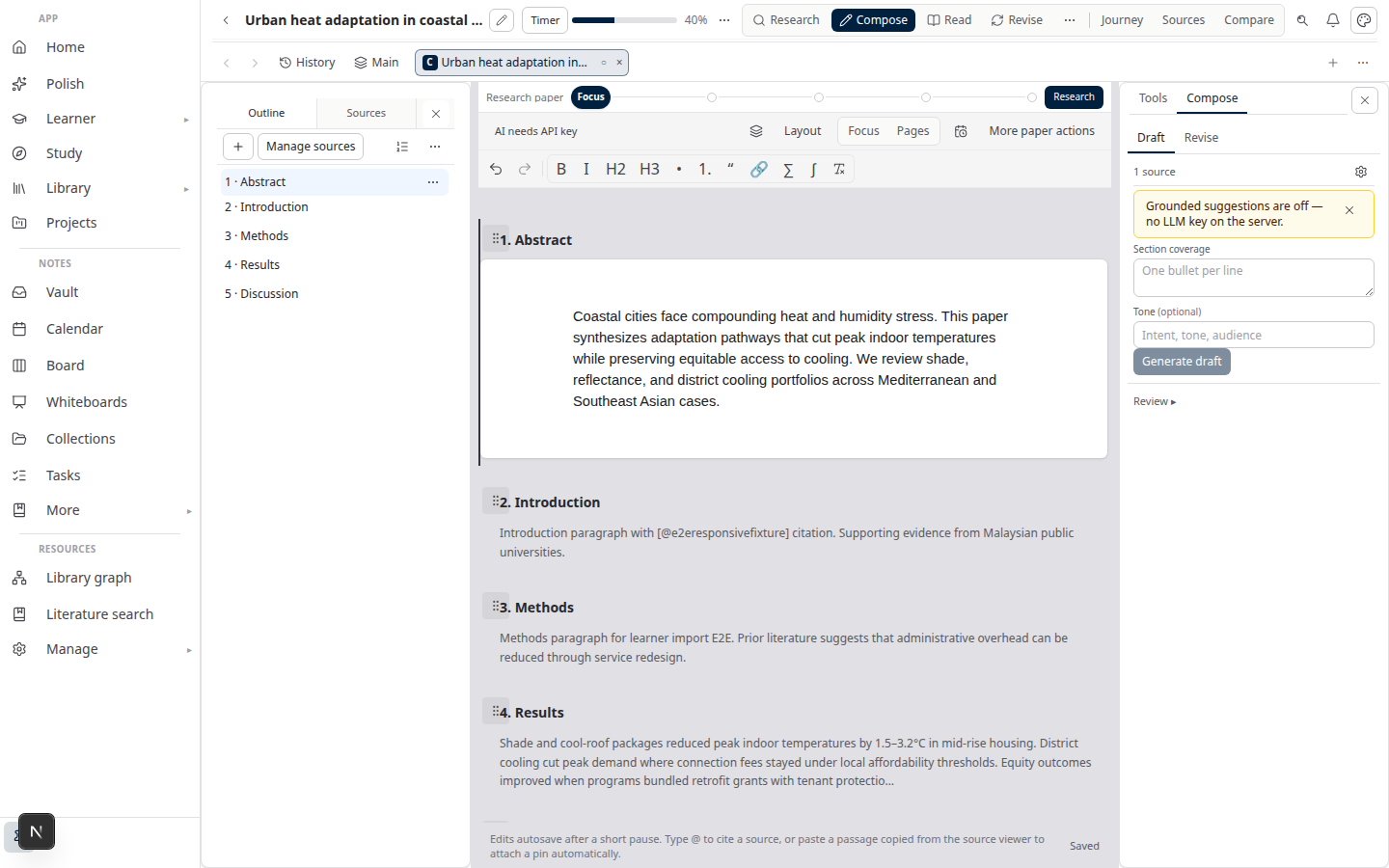
Lattuce Writer — 多语言论文的协作翻译

译者须知

  1. 使用项目负责人为你创建的账号登录。
  2. 打开分配给你的项目并翻译每个片段。
  3. 需要时参考翻译记忆库或 AI 提供的建议——最终文本始终由你决定。

日常翻译工作无需打开 Writer。

作者须知

  1. 在 Writer 中创建或打开一篇论文。
  2. 在 Account settings 中关联你的个人翻译账号(请勿使用共享服务器密码)。
  3. 在论文中打开 Translate 模式。
  4. 与翻译项目同步片段;章节获批后,导出为 Word 文档。

你也可以上传 Word 文件,从现有草稿开始翻译项目。

如何融入你的工作流程

角色工具结果
作者Writer + Translate 模式带引文的双语章节
译者翻译编辑器已批准的目标语言文本
所有人文库 + 导出含参考文献的 Word 手稿

我们的示例中介绍最充分的是英语 ↔ 马来语这一语言组合,但同样的流程也适用于家庭配置的其他语言组合。

在 lattuce.app 上开始使用

  1. 登录 lattuce.app。
  2. 如果账号尚未启用翻译功能,请联系家庭管理员为你开启。
  3. 作者:关联翻译令牌,然后在论文中打开 Translate。
  4. 译者:等待项目分配,然后打开收到的编辑器链接。

关于 Lattuce 当前提供的功能(仅限浏览器;应用即将推出),请参阅在哪里可以使用 Lattuce。

相关文章:Notion 与 Lattuce 对比 · 翻译系列

订阅:RSS · Atom · 马来语

Translation

  1. You are here1. 在 Lattuce 中协作翻译

On this page

  1. 译者须知
  2. 作者须知
  3. 如何融入你的工作流程
  4. 在 lattuce.app 上开始使用

Explore Lattuce

Start writing, compare tools, or browse tutorials for your research stack.

Try LattuceTutorialsPlans

Subscribe to Translation: RSS · Atom

← 所有文章
TermsPrivacyCookiesRefundsFAQContact[email protected]

© Lattuce

Skip to content
Blog
Lattuce apps

Choose another workspace. Writer, Library, Projects, and Calendar stay on lattuce.app.

WWriterWrite papers and manage sourcesCurrentNNotaCapture and organize your notes↗LLingoRead and study languages↗QQuranRead, listen, and cite↗KKelasLearn and teach together↗BBacaRead and organize your books↗EEnnakExplore recipes and meal ideas↗SSepedaBicycle catalog and research↗SSukanAnalyze rides and routes↗
  1. Blog
  2. /
  3. Translation
  4. /
  5. 在 Lattuce 中协作翻译

2026年9月13日 · Translation

在 Lattuce 中协作翻译

了解作者和译者如何在 Lattuce 中协作处理多语言论文——使用 Writer 的 Translate 模式和翻译编辑器。

  • guide
  • translation
  • seo
  • zh-cn
语言DeutschEnglishEspañolFrançais日本語한국어Bahasa MelayuPolski简体中文

Lattuce 帮助家庭以多种语言发布内容。作者在 Writer 中写作。译者在专用翻译编辑器(Weblate)中工作。每篇论文的 Translate 模式将两者连接起来。

Writer 中没有单独的“译者应用”——译者使用编辑器,作者则在 Writer 中同步各个章节。

Lattuce Writer — 多语言论文的协作翻译

译者须知

  1. 使用项目负责人为你创建的账号登录。
  2. 打开分配给你的项目并翻译每个片段。
  3. 需要时参考翻译记忆库或 AI 提供的建议——最终文本始终由你决定。

日常翻译工作无需打开 Writer。

作者须知

  1. 在 Writer 中创建或打开一篇论文。
  2. 在 Account settings 中关联你的个人翻译账号(请勿使用共享服务器密码)。
  3. 在论文中打开 Translate 模式。
  4. 与翻译项目同步片段;章节获批后,导出为 Word 文档。

你也可以上传 Word 文件,从现有草稿开始翻译项目。

如何融入你的工作流程

角色工具结果
作者Writer + Translate 模式带引文的双语章节
译者翻译编辑器已批准的目标语言文本
所有人文库 + 导出含参考文献的 Word 手稿

我们的示例中介绍最充分的是英语 ↔ 马来语这一语言组合,但同样的流程也适用于家庭配置的其他语言组合。

在 lattuce.app 上开始使用

  1. 登录 lattuce.app。
  2. 如果账号尚未启用翻译功能,请联系家庭管理员为你开启。
  3. 作者:关联翻译令牌,然后在论文中打开 Translate。
  4. 译者:等待项目分配,然后打开收到的编辑器链接。

关于 Lattuce 当前提供的功能(仅限浏览器;应用即将推出),请参阅在哪里可以使用 Lattuce。

相关文章:Notion 与 Lattuce 对比 · 翻译系列

订阅:RSS · Atom · 马来语

Translation

  1. You are here1. 在 Lattuce 中协作翻译

On this page

  1. 译者须知
  2. 作者须知
  3. 如何融入你的工作流程
  4. 在 lattuce.app 上开始使用

Explore Lattuce

Start writing, compare tools, or browse tutorials for your research stack.

Try LattuceTutorialsPlans

Subscribe to Translation: RSS · Atom

← 所有文章
TermsPrivacyCookiesRefundsFAQContact[email protected]

© Lattuce