Loading home
Loading home
Skip to content
Blog
  1. Blog
  2. /
  3. Translation
  4. /
  5. Collaborative translation on Lattuce

September 13, 2026 · Translation

Collaborative translation on Lattuce

How authors and translators work together on multilingual papers in Lattuce — Translate mode in Writer and the translation editor.

  • guide
  • translation
  • seo
LanguageEnglishBahasa Melayu

Lattuce helps households publish in more than one language. Authors write in Writer. Translators work in a dedicated translation editor (Weblate). The two stay linked through Translate mode on each paper.

There is no separate “translator app” inside Writer — translators use the editor; authors sync sections from Writer.
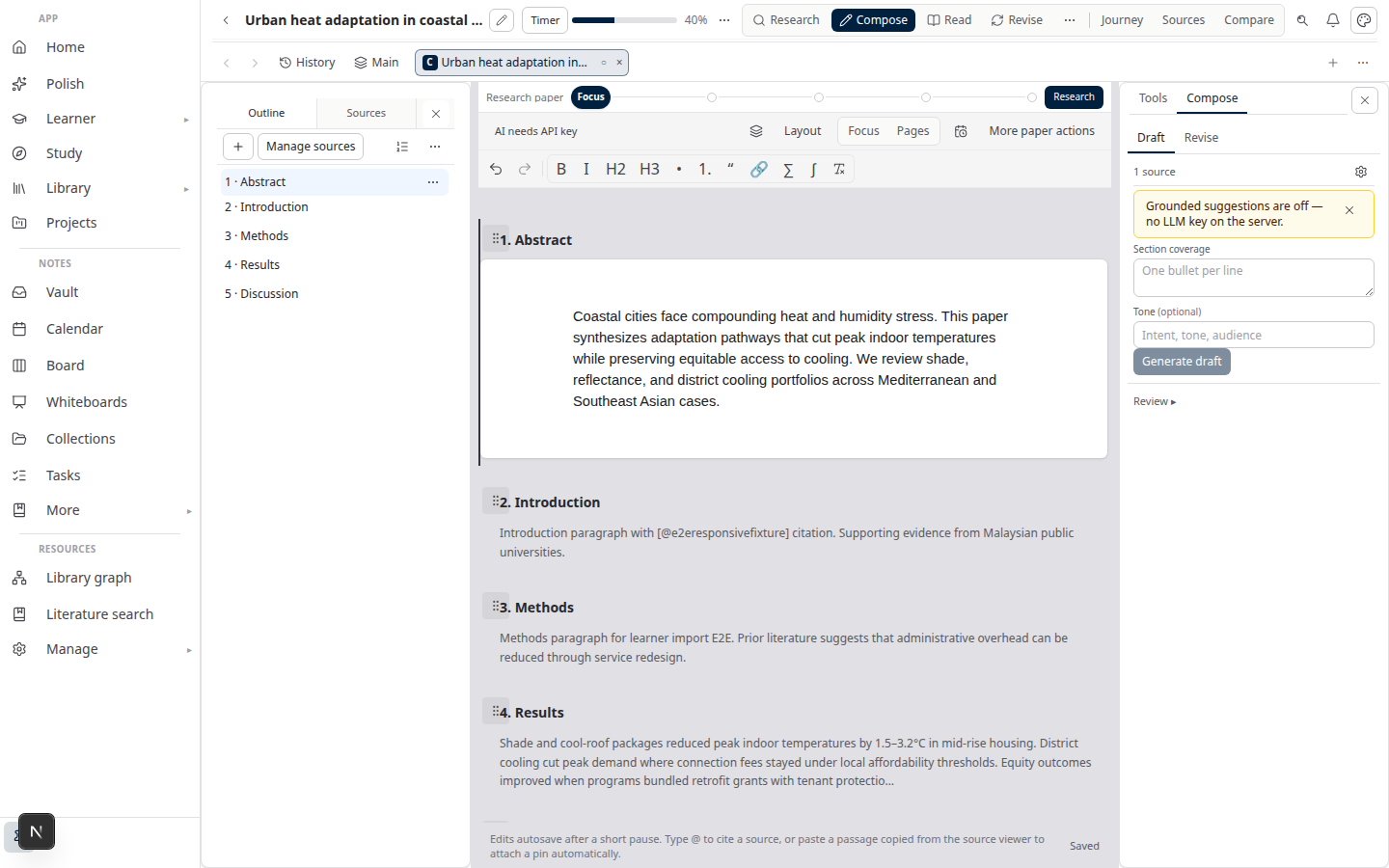
Lattuce Writer — collaborative translation on multilingual papers

For translators

  1. Sign in with the account your project lead created.
  2. Open the assigned project and translate each segment.
  3. Use suggestions from translation memory or AI when they help — you always control the final text.

Day-to-day translation does not require opening Writer.

For authors

  1. Create or open a paper in Writer.
  2. In Account settings, link your personal translation account (not a shared server password).
  3. Open Translate mode on the paper.
  4. Sync segments with the translation project; export to Word when sections are approved.

You can also upload a Word file to start a translation project from an existing draft.

How it fits your workflow

RoleToolOutcome
AuthorWriter + Translate modeBilingual sections with citations
TranslatorTranslation editorApproved target-language strings
EveryoneLibrary + exportWord manuscript with references

English ↔ Malay is the most documented pair in our examples, but the same flow works for other language pairs your household configures.

Getting started on lattuce.app

  1. Sign in at lattuce.app.
  2. Ask your household admin to enable translation for your account if it is not already on.
  3. Authors: link your translation token and open Translate on a paper.
  4. Translators: wait for a project assignment, then open the editor link you receive.

For what Lattuce offers today (browser only; apps coming), see where you can use Lattuce.

Related: Notion vs Lattuce · Translation series

Subscribe: RSS · Atom · Bahasa Melayu

NextTranslate a thesis chapter EN↔MS with collaborative translation in Lattuce

Translation

  1. You are here1. Collaborative translation on Lattuce
  2. 2. Translate a thesis chapter EN↔MS with collaborative translation in Lattuce
  3. 3. Bilingual journal abstracts with Lattuce and collaborative translation
  4. 4. Multilingual research lab on one Lattuce household
  5. 5. Approve EN section → MS abstract workflow in Lattuce
  6. 6. Glossary lock for lab terminology in collaborative translation

On this page

  1. For translators
  2. For authors
  3. How it fits your workflow
  4. Getting started on lattuce.app

Explore Lattuce

Start writing, compare tools, or browse tutorials for your research stack.

Try LattuceTutorialsPlans

Subscribe to Translation: RSS · Atom

← All posts
TermsPrivacyCookiesRefundsFAQContact[email protected]

© Lattuce

Skip to content
Blog
  1. Blog
  2. /
  3. Translation
  4. /
  5. Collaborative translation on Lattuce

September 13, 2026 · Translation

Collaborative translation on Lattuce

How authors and translators work together on multilingual papers in Lattuce — Translate mode in Writer and the translation editor.

  • guide
  • translation
  • seo
LanguageEnglishBahasa Melayu

Lattuce helps households publish in more than one language. Authors write in Writer. Translators work in a dedicated translation editor (Weblate). The two stay linked through Translate mode on each paper.

There is no separate “translator app” inside Writer — translators use the editor; authors sync sections from Writer.

Lattuce Writer — collaborative translation on multilingual papers

For translators

  1. Sign in with the account your project lead created.
  2. Open the assigned project and translate each segment.
  3. Use suggestions from translation memory or AI when they help — you always control the final text.

Day-to-day translation does not require opening Writer.

For authors

  1. Create or open a paper in Writer.
  2. In Account settings, link your personal translation account (not a shared server password).
  3. Open Translate mode on the paper.
  4. Sync segments with the translation project; export to Word when sections are approved.

You can also upload a Word file to start a translation project from an existing draft.

How it fits your workflow

RoleToolOutcome
AuthorWriter + Translate modeBilingual sections with citations
TranslatorTranslation editorApproved target-language strings
EveryoneLibrary + exportWord manuscript with references

English ↔ Malay is the most documented pair in our examples, but the same flow works for other language pairs your household configures.

Getting started on lattuce.app

  1. Sign in at lattuce.app.
  2. Ask your household admin to enable translation for your account if it is not already on.
  3. Authors: link your translation token and open Translate on a paper.
  4. Translators: wait for a project assignment, then open the editor link you receive.

For what Lattuce offers today (browser only; apps coming), see where you can use Lattuce.

Related: Notion vs Lattuce · Translation series

Subscribe: RSS · Atom · Bahasa Melayu

NextTranslate a thesis chapter EN↔MS with collaborative translation in Lattuce

Translation

  1. You are here1. Collaborative translation on Lattuce
  2. 2. Translate a thesis chapter EN↔MS with collaborative translation in Lattuce
  3. 3. Bilingual journal abstracts with Lattuce and collaborative translation
  4. 4. Multilingual research lab on one Lattuce household
  5. 5. Approve EN section → MS abstract workflow in Lattuce
  6. 6. Glossary lock for lab terminology in collaborative translation

On this page

  1. For translators
  2. For authors
  3. How it fits your workflow
  4. Getting started on lattuce.app

Explore Lattuce

Start writing, compare tools, or browse tutorials for your research stack.

Try LattuceTutorialsPlans

Subscribe to Translation: RSS · Atom

← All posts
TermsPrivacyCookiesRefundsFAQContact[email protected]

© Lattuce