Loading home
Loading home
Skip to content
Blog
  1. Blog
  2. /
  3. Translation
  4. /
  5. Translate a thesis chapter EN↔MS with collaborative translation in Lattuce

February 6, 2027 · Translation

Translate a thesis chapter EN↔MS with collaborative translation in Lattuce

A practical collaborative translation workflow for bilingual thesis chapters — segments, translation memory, and Writer Translate mode on lattuce.app.

  • translation
  • weblate
  • thesis
  • ms
  • seo
LanguageEnglishBahasa Melayu

Malaysian and bilingual authors often need English chapters with Malay abstracts — or full EN↔MS thesis pairs. Lattuce links Writer (authoring) to a collaborative translation editor (translators) so segments, translation memory, and review stay on lattuce.app.

EN↔MS is the documented example pair in this guide; the same workflow applies to other locale pairs your project configures.
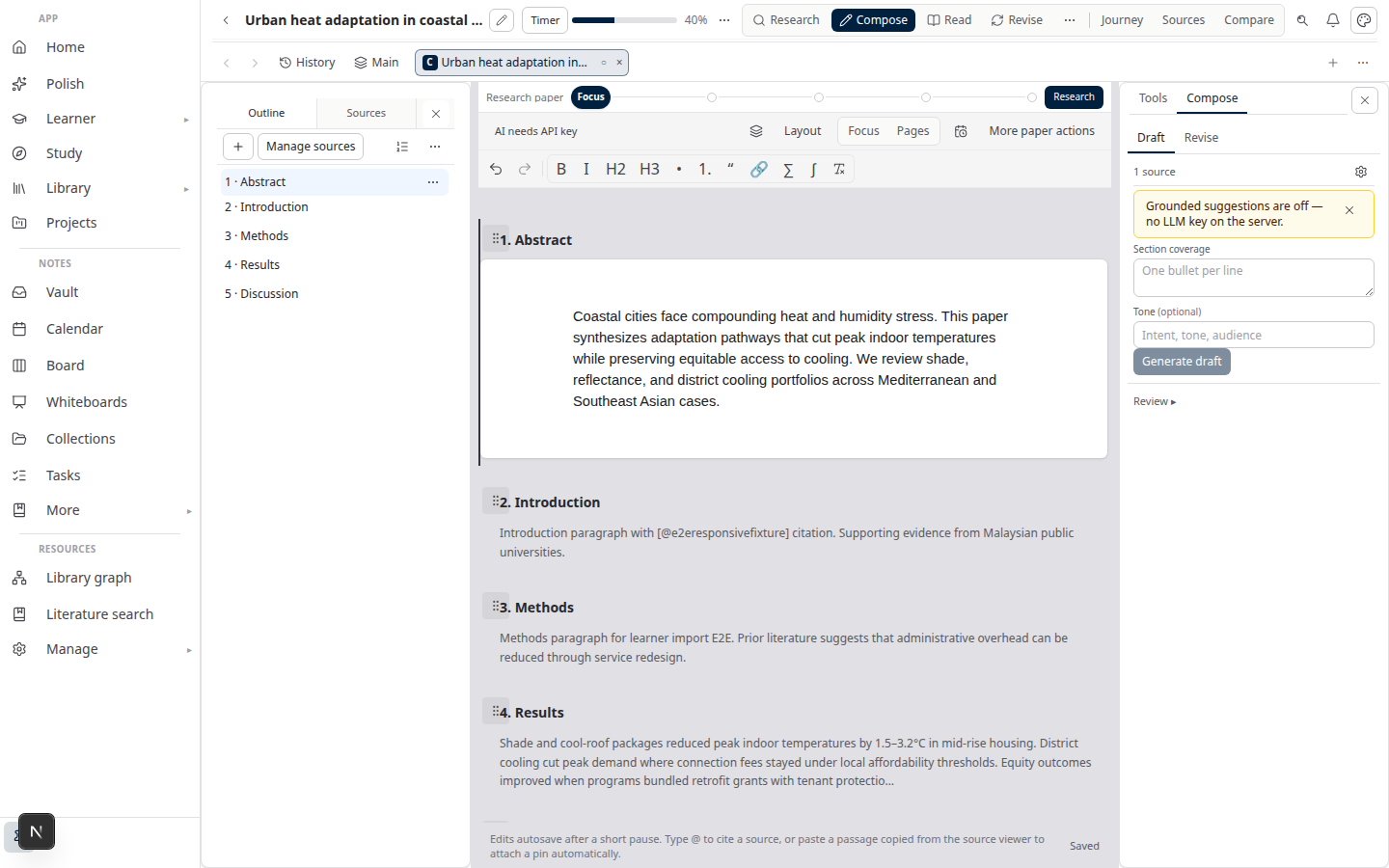
Lattuce Writer — collaborative translation on multilingual papers

Audience split

RoleToolDay-to-day job
Author / studentWriter + Translate modeDraft EN chapter; sync segments; export approved Word
Translator / bilingual supervisorTranslation editorTranslate segments; use TM suggestions; mark reviewed
Household adminAccount settingsLink translation accounts; no shared passwords

Translators do not need to learn the full Writer UI — they work in the translation editor. Authors stay in Writer.

Workflow overview

  1. Author drafts the chapter in Writer (Compose → Write → approve sections).
  2. Author opens Translate mode and syncs segments to the translation project.
  3. Translator fills segments in the editor; TM and AI suggestions assist — human approves final text.
  4. Author reviews imported segments; exports MS Word (or EN Word) when ready.

Cold path (first-time setup): link personal translation account in settings — see Collaborative translation on Lattuce.

Prepare the chapter for translation

  1. Finish the English chapter through section approval in Writer.
  2. Export or sync to translation by section — headings and paragraphs become segments.
  3. Lock glossary terms (lab names, method labels) before translators start — reduces inconsistent TM matches.

For faculty-specific formatting after translation, run Format mode on the exported .docx — Thesis format check.

Translation project setup

  1. Author: Account settings → Translation — connect your translation account.
  2. Open the paper → Translate mode → create or link a project for this chapter.
  3. Choose target locale (e.g. ms for Malay).
  4. Sync segments from approved Writer sections.

Translators receive access to the project — not your full household vault.

Review and approve segments

CheckpointWho
First draft of each segmentTranslator
Terminology consistencyTranslator + author glossary
Academic tone / faculty rulesAuthor or supervisor
Final import to WriterAuthor

AI machinery may propose suggestions — translators control the final string. Do not auto-accept without reading.

Import back to Writer

  1. When translation review is complete, import segments into Translate mode.
  2. Author reads the bilingual chapter beside the EN source.
  3. Approve translated sections the same way as English — citation checks apply to whichever locale cites library sources.
  4. Export to Word for faculty submission.

EN↔MS as example pair

Malaysia’s BM/BI thesis culture is why we document EN↔MS first:

Document partTypical pattern
Main chaptersEnglish
Abstract / abstrakMS + EN
KeywordsBilingual

Other pairs (EN↔AR, EN↔ZH) use the same segment workflow — locale labels change; roles do not.

Related reading

  • Collaborative translation on Lattuce
  • Bilingual journal abstracts
  • Multilingual research lab

Bahasa Melayu: Terjemah bab tesis EN↔MS dengan terjemahan kolaboratif di Lattuce

PreviousCollaborative translation on LattuceNextBilingual journal abstracts with Lattuce and collaborative translation

Translation

  1. 1. Collaborative translation on Lattuce
  2. You are here2. Translate a thesis chapter EN↔MS with collaborative translation in Lattuce
  3. 3. Bilingual journal abstracts with Lattuce and collaborative translation
  4. 4. Multilingual research lab on one Lattuce household
  5. 5. Approve EN section → MS abstract workflow in Lattuce
  6. 6. Glossary lock for lab terminology in collaborative translation

On this page

  1. Audience split
  2. Workflow overview
  3. Prepare the chapter for translation
  4. Translation project setup
  5. Review and approve segments
  6. Import back to Writer
  7. EN↔MS as example pair
  8. Related reading

Explore Lattuce

Start writing, compare tools, or browse tutorials for your research stack.

Try LattuceTutorialsPlans

Subscribe to Translation: RSS · Atom

← All posts
TermsPrivacyCookiesRefundsFAQContact[email protected]

© Lattuce

Skip to content
Blog
  1. Blog
  2. /
  3. Translation
  4. /
  5. Translate a thesis chapter EN↔MS with collaborative translation in Lattuce

February 6, 2027 · Translation

Translate a thesis chapter EN↔MS with collaborative translation in Lattuce

A practical collaborative translation workflow for bilingual thesis chapters — segments, translation memory, and Writer Translate mode on lattuce.app.

  • translation
  • weblate
  • thesis
  • ms
  • seo
LanguageEnglishBahasa Melayu

Malaysian and bilingual authors often need English chapters with Malay abstracts — or full EN↔MS thesis pairs. Lattuce links Writer (authoring) to a collaborative translation editor (translators) so segments, translation memory, and review stay on lattuce.app.

EN↔MS is the documented example pair in this guide; the same workflow applies to other locale pairs your project configures.

Lattuce Writer — collaborative translation on multilingual papers

Audience split

RoleToolDay-to-day job
Author / studentWriter + Translate modeDraft EN chapter; sync segments; export approved Word
Translator / bilingual supervisorTranslation editorTranslate segments; use TM suggestions; mark reviewed
Household adminAccount settingsLink translation accounts; no shared passwords

Translators do not need to learn the full Writer UI — they work in the translation editor. Authors stay in Writer.

Workflow overview

  1. Author drafts the chapter in Writer (Compose → Write → approve sections).
  2. Author opens Translate mode and syncs segments to the translation project.
  3. Translator fills segments in the editor; TM and AI suggestions assist — human approves final text.
  4. Author reviews imported segments; exports MS Word (or EN Word) when ready.

Cold path (first-time setup): link personal translation account in settings — see Collaborative translation on Lattuce.

Prepare the chapter for translation

  1. Finish the English chapter through section approval in Writer.
  2. Export or sync to translation by section — headings and paragraphs become segments.
  3. Lock glossary terms (lab names, method labels) before translators start — reduces inconsistent TM matches.

For faculty-specific formatting after translation, run Format mode on the exported .docx — Thesis format check.

Translation project setup

  1. Author: Account settings → Translation — connect your translation account.
  2. Open the paper → Translate mode → create or link a project for this chapter.
  3. Choose target locale (e.g. ms for Malay).
  4. Sync segments from approved Writer sections.

Translators receive access to the project — not your full household vault.

Review and approve segments

CheckpointWho
First draft of each segmentTranslator
Terminology consistencyTranslator + author glossary
Academic tone / faculty rulesAuthor or supervisor
Final import to WriterAuthor

AI machinery may propose suggestions — translators control the final string. Do not auto-accept without reading.

Import back to Writer

  1. When translation review is complete, import segments into Translate mode.
  2. Author reads the bilingual chapter beside the EN source.
  3. Approve translated sections the same way as English — citation checks apply to whichever locale cites library sources.
  4. Export to Word for faculty submission.

EN↔MS as example pair

Malaysia’s BM/BI thesis culture is why we document EN↔MS first:

Document partTypical pattern
Main chaptersEnglish
Abstract / abstrakMS + EN
KeywordsBilingual

Other pairs (EN↔AR, EN↔ZH) use the same segment workflow — locale labels change; roles do not.

Related reading

  • Collaborative translation on Lattuce
  • Bilingual journal abstracts
  • Multilingual research lab

Bahasa Melayu: Terjemah bab tesis EN↔MS dengan terjemahan kolaboratif di Lattuce

PreviousCollaborative translation on LattuceNextBilingual journal abstracts with Lattuce and collaborative translation

Translation

  1. 1. Collaborative translation on Lattuce
  2. You are here2. Translate a thesis chapter EN↔MS with collaborative translation in Lattuce
  3. 3. Bilingual journal abstracts with Lattuce and collaborative translation
  4. 4. Multilingual research lab on one Lattuce household
  5. 5. Approve EN section → MS abstract workflow in Lattuce
  6. 6. Glossary lock for lab terminology in collaborative translation

On this page

  1. Audience split
  2. Workflow overview
  3. Prepare the chapter for translation
  4. Translation project setup
  5. Review and approve segments
  6. Import back to Writer
  7. EN↔MS as example pair
  8. Related reading

Explore Lattuce

Start writing, compare tools, or browse tutorials for your research stack.

Try LattuceTutorialsPlans

Subscribe to Translation: RSS · Atom

← All posts
TermsPrivacyCookiesRefundsFAQContact[email protected]

© Lattuce