Strands, Links, and Lattice — how Lattuce tracks the words you learn
How Lattuce Learner tracks vocabulary as Strands, Links, and Lattice — from first encounter to fluent reading at lingo.lattuce.app.
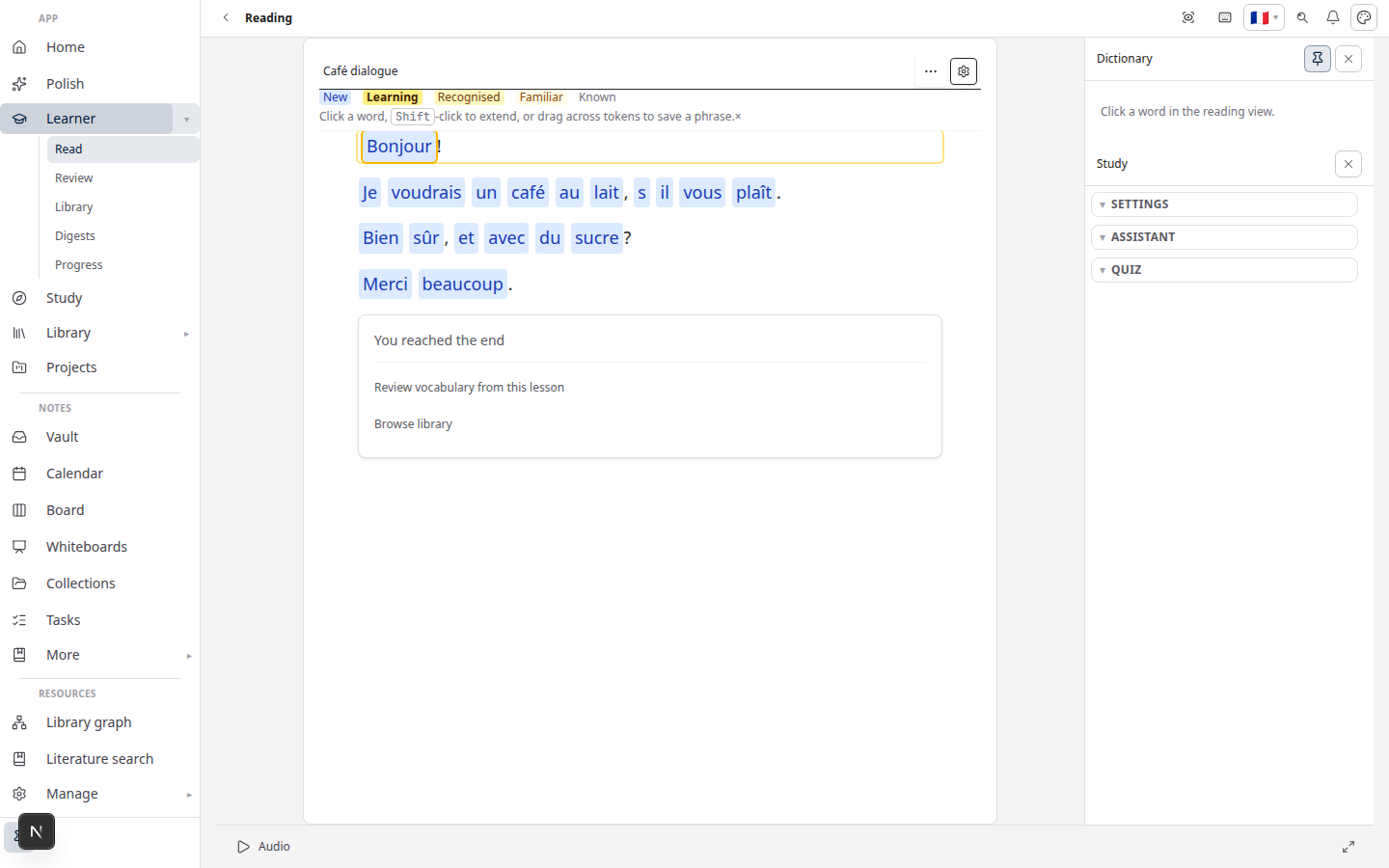
When you learn a language by reading, words do not arrive as a finished list. They show up one at a time — unfamiliar, then familiar, then automatic. Lattuce Learner (Lingo at lingo.lattuce.app) names that journey Strand → Link → Lattice so you can see how fragile threads of text become a vocabulary you can rely on.
For in-app help, ask the product assistant about vocabulary status in Learner.
Why not just “new” and “known”?
Flashcard apps often label words as unknown or known. That is simple, but it hides the middle work — the phase where you almost know a word and need one more context before it sticks.
Language is not learned in a vacuum. Fluency is built by connecting isolated pieces into a structure that supports itself. The Strand–Link–Lattice model mirrors that:
| Tier | What it means | In the reader |
|---|---|---|
| Strand | A loose thread — new or barely touched | You saved it or marked it as just starting |
| Link | Hooked to other knowledge — actively learning | You recognise it sometimes; review keeps it warm |
| Lattice | Woven into fluent reading | You know it well enough to read without stopping |
Ignored is separate: words you do not want in review (names, typos, words you already know in another language).
The name Lattice also echoes lattuce.app — you are building your personal linguistic lattice inside Lattuce, not archiving random cards.
What you see while reading
- Open any foreign-language text in Learn → Read.
- Tap or click a word to define it.
- Pick a status — Strand, Link, or Lattice — or use keys 1, 2, and 3 on your keyboard.
The word panel and popover show your current tier. Vocabulary lists everything you saved, filterable by Strand, Link, or Lattice.
Optional Auto-save links (in reading preferences) turns looked-up words into Links when you define them — useful when you want less tapping and more flow.
How tiers connect to review
Saving a word does not end the story. Review brings Links (and other saved words) back on a spaced schedule so they move toward Lattice before you forget them.
| You do… | What happens |
|---|---|
| Save as Strand | The word is in your list; you are still anchoring it |
| Promote to Link | Review and reading reinforce weak connections |
| Mark Lattice | The word counts toward your known vocabulary and CEFR-style progress on the hub |
Honest review ratings matter more than perfect labels. If a word feels shaky, leave it as Link until context makes it solid.
A mental picture
Imagine vocabulary as rope work:
- A Strand is a single thread — easy to slip out of memory.
- A Link is that thread tied to another — a chain of partial understanding.
- A Lattice is many links crossing horizontally and vertically — a grid that holds weight. That is the goal: read, write, and converse without the lattice collapsing.
Progress is not vanity points. It is a map of structural strength in your language.
Who this is for
| You want… | Strand–Link–Lattice helps when… |
|---|---|
| Clear progress beyond “word count” | You want tiers that describe how well you know a word |
| Reading-first learning | You save words from real articles, books, and subtitles |
| One account at lattuce.app | Vocabulary lives next to Writer and Library in the same cloud workspace |
This is Learner vocabulary study — not Study exam prep from course PDFs. For that split, read Study vs Learner.
Related reading
- Getting started with Lingo
- Spaced repetition in Learner
- Import guide
- LingQ vs Lattuce Learner — same read-save-review loop, different stack
Bahasa Melayu: Strands, Links, dan Lattice (MS)
Subscribe: RSS — Language learning series