Loading home
Loading home
Skip to content
Blog
  1. Blog
  2. /
  3. Language learning
  4. /
  5. Community library in Lattuce Learner — share and browse lessons

September 23, 2026 · Language learning

Community library in Lattuce Learner — share and browse lessons

Publish and browse shared language lessons on Lattuce Learner — community library, import, and household-safe sharing on lingo.lattuce.app.

  • guide
  • learner
  • lingo
  • community
  • language-learning
  • seo
LanguageEnglishBahasa Melayu

Finished a strong lesson from a Malay news article or a graded reader chapter? Community library lets you publish it for other learners on lingo.lattuce.app — and browse lessons others shared, filtered by language.

Publishing is optional. Your private shelf works without ever opening the community tab.
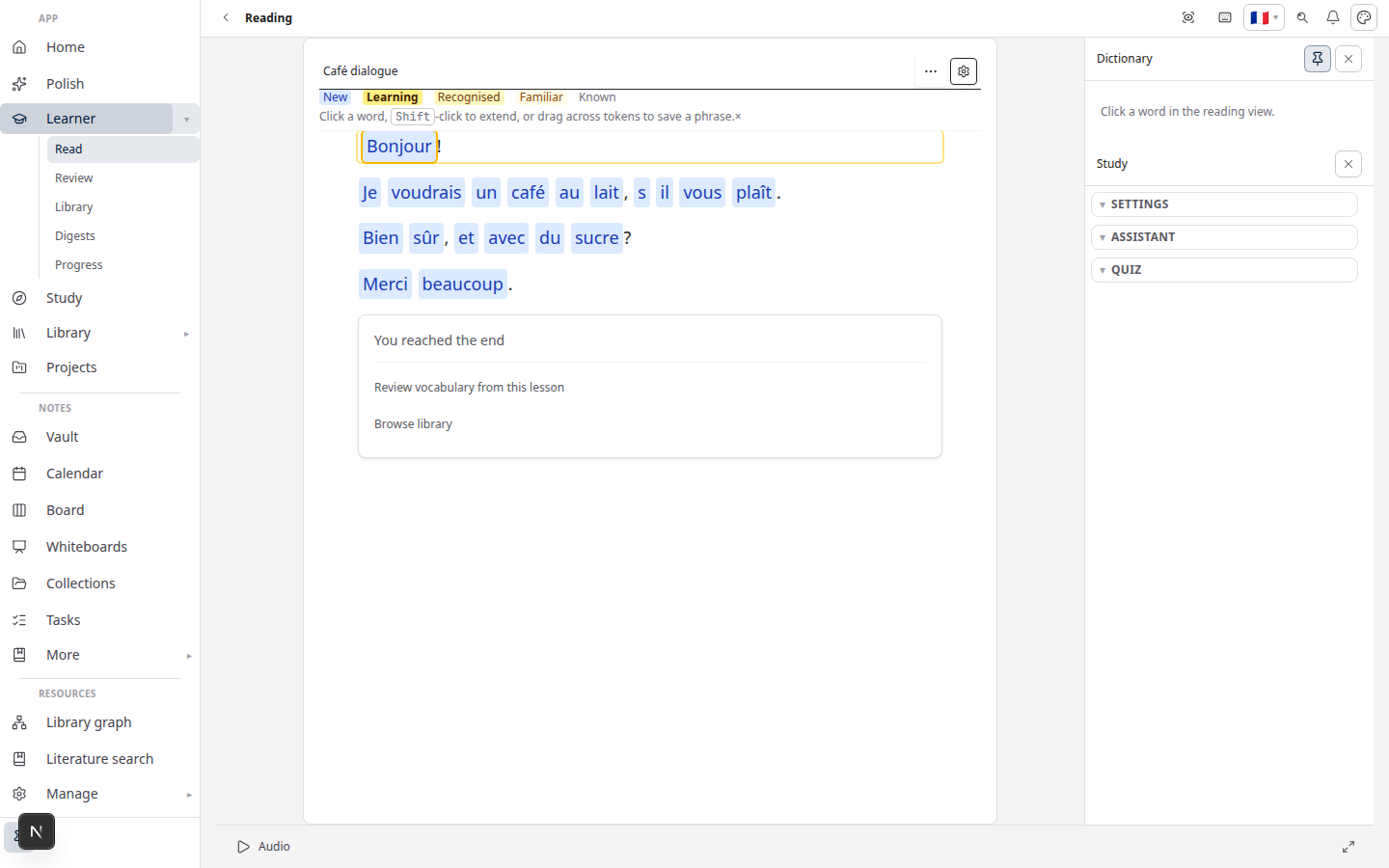
Lattuce Learner — read with word help and vocabulary review

Who this is for

YouGoal
TeacherShare a class text without emailing files
Study groupOne member imports; others import from community
Independent learnerDiscover beginner-friendly texts in your target language

Community content is moderated in spirit — report flows exist; do not publish copyrighted books in full.

Before you start

You needNotes
A lesson you ownOpen it in Read first
NetworkPublish and import require a connection
Household accountSame lattuce.app login as Writer/Learner

Publish a lesson

  1. Open the lesson in Learn → Read.
  2. Choose Share to community from the reader menu.
  3. Add an optional description (level, topic, register).
  4. Choose license / translation-sharing options when shown.
  5. Confirm publish — the lesson appears in the public browse list for its language.

You can offer a lesson for community translation — others contribute target-language segments under the publish dialog’s translation options.

Offline note: community publish does not queue offline — connect before sharing.

Browse and import

  1. Open Learn → Community (/learn/community).
  2. Filter by language (e.g. Malay, Arabic, German).
  3. Preview a lesson card — title, description, contributor.
  4. Import to your private shelf — now you can read, save words, and review like any self-imported text.

Imported community lessons are copies on your account — edits you make stay private unless you publish again.

What to publish (and what not to)

Good fitPoor fit
Short news articles you have rights to shareFull commercial EPUB uploads
Teacher-created graded passagesPirated subtitle dumps
Your own translations with redistribution licensePersonal journal entries with PII

When in doubt, link to the original source in the description and publish only the excerpt you are allowed to redistribute.

Household vs public web

ScopeWho sees it
Private shelfYour household members per plan rules
Community libraryAny signed-in learner browsing that language

Community is not a global social network — no follows, likes-first feed, or DMs. It is a lesson catalog for language learning.

Related reading

  • How to import articles and books
  • Learn from YouTube captions
  • Strands, Links, and Lattice
  • Lingo getting started

Bahasa Melayu: Perpustakaan komuniti dalam Lattuce Learner — kongsi dan layari pelajaran

PreviousReadlang vs Lattuce Learner — extension reader or household Lingo?NextRemNote and Anki vs Lattuce Learner — flashcards or reading-first language learning?

Language learning

  1. 1. Learn languages by reading — getting started with Lingo by Lattuce
  2. 2. LingQ vs Lattuce Learner — which reading app fits your household?
  3. 3. Duolingo vs Lattuce Learner — daily lessons or real reading?
  4. 4. How to import articles and books into Lattuce Learner
  5. 5. Spaced repetition in Lattuce Learner — remember the words you save
  6. 6. From Writer to Learner — study foreign sources while you write
  7. 7. Lingo on lattuce.app — Learner beside Writer
  8. 8. Learn Malay and English by reading — bilingual households on Lattuce
  9. 9. Strands, Links, and Lattice — how Lattuce tracks the words you learn
  10. 10. Learn from YouTube captions with Lattuce Learner
  11. 11. Readlang vs Lattuce Learner — extension reader or household Lingo?
  12. You are here12. Community library in Lattuce Learner — share and browse lessons
  13. 13. RemNote and Anki vs Lattuce Learner — flashcards or reading-first language learning?
  14. 14. Read the news in Malay with Lattuce Lingo
  15. 15. Family shared vocabulary on one Lattuce household

On this page

  1. Who this is for
  2. Before you start
  3. Publish a lesson
  4. Browse and import
  5. What to publish (and what not to)
  6. Household vs public web
  7. Related reading

Explore Lattuce

Try language learning on lingo.lattuce.app or read the workflow guides.

Try LattuceTutorialsPlansLearner

Subscribe to Language learning: RSS · Atom

← All posts
TermsPrivacyCookiesRefundsFAQContact[email protected]

© Lattuce

Skip to content
Blog
  1. Blog
  2. /
  3. Language learning
  4. /
  5. Community library in Lattuce Learner — share and browse lessons

September 23, 2026 · Language learning

Community library in Lattuce Learner — share and browse lessons

Publish and browse shared language lessons on Lattuce Learner — community library, import, and household-safe sharing on lingo.lattuce.app.

  • guide
  • learner
  • lingo
  • community
  • language-learning
  • seo
LanguageEnglishBahasa Melayu

Finished a strong lesson from a Malay news article or a graded reader chapter? Community library lets you publish it for other learners on lingo.lattuce.app — and browse lessons others shared, filtered by language.

Publishing is optional. Your private shelf works without ever opening the community tab.

Lattuce Learner — read with word help and vocabulary review

Who this is for

YouGoal
TeacherShare a class text without emailing files
Study groupOne member imports; others import from community
Independent learnerDiscover beginner-friendly texts in your target language

Community content is moderated in spirit — report flows exist; do not publish copyrighted books in full.

Before you start

You needNotes
A lesson you ownOpen it in Read first
NetworkPublish and import require a connection
Household accountSame lattuce.app login as Writer/Learner

Publish a lesson

  1. Open the lesson in Learn → Read.
  2. Choose Share to community from the reader menu.
  3. Add an optional description (level, topic, register).
  4. Choose license / translation-sharing options when shown.
  5. Confirm publish — the lesson appears in the public browse list for its language.

You can offer a lesson for community translation — others contribute target-language segments under the publish dialog’s translation options.

Offline note: community publish does not queue offline — connect before sharing.

Browse and import

  1. Open Learn → Community (/learn/community).
  2. Filter by language (e.g. Malay, Arabic, German).
  3. Preview a lesson card — title, description, contributor.
  4. Import to your private shelf — now you can read, save words, and review like any self-imported text.

Imported community lessons are copies on your account — edits you make stay private unless you publish again.

What to publish (and what not to)

Good fitPoor fit
Short news articles you have rights to shareFull commercial EPUB uploads
Teacher-created graded passagesPirated subtitle dumps
Your own translations with redistribution licensePersonal journal entries with PII

When in doubt, link to the original source in the description and publish only the excerpt you are allowed to redistribute.

Household vs public web

ScopeWho sees it
Private shelfYour household members per plan rules
Community libraryAny signed-in learner browsing that language

Community is not a global social network — no follows, likes-first feed, or DMs. It is a lesson catalog for language learning.

Related reading

  • How to import articles and books
  • Learn from YouTube captions
  • Strands, Links, and Lattice
  • Lingo getting started

Bahasa Melayu: Perpustakaan komuniti dalam Lattuce Learner — kongsi dan layari pelajaran

PreviousReadlang vs Lattuce Learner — extension reader or household Lingo?NextRemNote and Anki vs Lattuce Learner — flashcards or reading-first language learning?

Language learning

  1. 1. Learn languages by reading — getting started with Lingo by Lattuce
  2. 2. LingQ vs Lattuce Learner — which reading app fits your household?
  3. 3. Duolingo vs Lattuce Learner — daily lessons or real reading?
  4. 4. How to import articles and books into Lattuce Learner
  5. 5. Spaced repetition in Lattuce Learner — remember the words you save
  6. 6. From Writer to Learner — study foreign sources while you write
  7. 7. Lingo on lattuce.app — Learner beside Writer
  8. 8. Learn Malay and English by reading — bilingual households on Lattuce
  9. 9. Strands, Links, and Lattice — how Lattuce tracks the words you learn
  10. 10. Learn from YouTube captions with Lattuce Learner
  11. 11. Readlang vs Lattuce Learner — extension reader or household Lingo?
  12. You are here12. Community library in Lattuce Learner — share and browse lessons
  13. 13. RemNote and Anki vs Lattuce Learner — flashcards or reading-first language learning?
  14. 14. Read the news in Malay with Lattuce Lingo
  15. 15. Family shared vocabulary on one Lattuce household

On this page

  1. Who this is for
  2. Before you start
  3. Publish a lesson
  4. Browse and import
  5. What to publish (and what not to)
  6. Household vs public web
  7. Related reading

Explore Lattuce

Try language learning on lingo.lattuce.app or read the workflow guides.

Try LattuceTutorialsPlansLearner

Subscribe to Language learning: RSS · Atom

← All posts
TermsPrivacyCookiesRefundsFAQContact[email protected]

© Lattuce